
Guide
How Does an AI Medical Scribe Work?
An AI medical scribe sits in three places at once: at the visit (capturing audio), in the cloud (transcribing and structuring), and back in your EMR (where the finalized note lands). Here's the full pipeline, step by step, with the privacy and accuracy details vendors gloss over.
Step 1 — Patient consent and recording start
Before any recording starts, the clinician obtains explicit patient consent. CPSO (Ontario), CMPA (Canadian Medical Protective Association), and most US state medical boards require this. Scribeberry's consent-first workflow prompts the consent conversation at scribe creation.
Once consent is obtained, the clinician opens the scribe (in the desktop app, mobile app, or Chrome extension), selects the encounter type and template, and taps Record. Recording starts; the visit proceeds normally.
Step 2 — Real-time speech-to-text
The mic captures audio, which streams in chunks (typically 1-2 second buffers) to a clinical speech-to-text model hosted in a HIPAA-compliant cloud (Azure, AWS, or GCP under a BAA). Speaker labels (provider vs patient) are auto-detected.
Modern transcription models handle clinical terminology, drug names, anatomic references, and 40+ languages. Accuracy is highest at 95-99%; ambient capture in noisy environments (hallway, ICU) is harder than direct dictation.
Step 3 — Clinical LLM structures the note
The raw transcript feeds into a clinical large language model — usually a specialized prompt over a foundation model from OpenAI, Anthropic, or Google. The LLM applies the template the clinician selected (SOAP, consult, referral, operative report) plus any user preferences (memories, voice style, jurisdiction-specific phrasing).
Output structure: subjective, objective, assessment, plan — or whatever template is configured. The model flags uncertain phrases for clinician review. Generation typically takes 5-15 seconds end-to-end.
Step 4 — Clinician review and edit
The note appears in the scribe interface as an editable draft. The clinician reviews — this is the legally required step; the AI never finalizes a note alone. Inline corrections, voice edits ("Red Mic Mode" in Scribeberry), and dot-phrase macros let the clinician finish the note in 1-3 minutes versus 10-20 of typing.
Any sections flagged as uncertain are highlighted. The clinician can re-generate with a refined prompt, swap templates, or edit manually.
Step 5 — Push to EMR
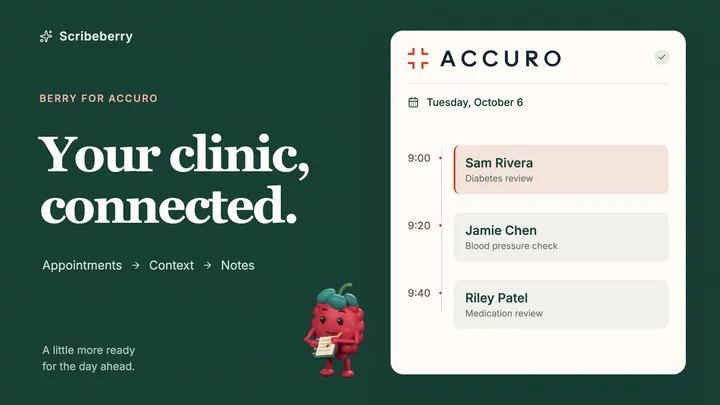
Once approved, the note goes back into the EMR. Native integrations (Smart Push for Accuro, Oscar Pro, Jane) drop the note directly into the discrete encounter fields. For EMRs without native integration, the Chrome extension or desktop app pastes the note into the active field, or the clinician copies it manually.
Audio is discarded (Scribeberry never persists audio). Transcript and final note are retained per the clinic's retention policy.
What happens to data after the encounter
Reputable AI scribes (Scribeberry, DeepScribe, Suki) sign a BAA and follow a clear data retention policy: audio is never permanently stored; transcripts and notes are encrypted at rest (AES-256) and in transit (TLS 1.3); regional data residency keeps Canadian data in Canada and US data in US.
Patient data is NEVER used to train AI models without explicit consent. Always verify this in the vendor's privacy policy before deploying.
How to use an AI medical scribe for a clinical encounter
Five-step workflow for using an AI medical scribe in a typical outpatient visit, from consent through EMR push.
- Obtain patient consent to record. Ask the patient verbally if they consent to AI-assisted note-taking. Document consent per your jurisdiction's guidance (CPSO, CMPA, US state board).
- Create a new scribe and select template. Open the scribe app or Chrome extension. Pick the encounter type (in-person, virtual, dictation) and select a template (SOAP, consult, referral, custom).
- Tap record and conduct the visit normally. Hit Record. Talk naturally with the patient. The AI captures audio, transcribes in real time, and labels speakers.
- Generate the note and review. When the visit ends, tap Generate. The structured draft appears in 5-15 seconds. Review uncertain sections, edit inline, and confirm accuracy.
- Push to EMR and sign off. Use Smart Push (Accuro, Oscar, Jane) or copy-paste into your EMR. Sign and finalize per your standard workflow.
Evaluate Scribeberry
Related pages
Keep reading
More guides
Recent blog posts
Latest blog posts on AI medical scribes, clinical documentation, and practical workflows.