

Forms & Templates
Macros
Scribeberry Macros help clinicians insert frequent text snippets instantly, reducing repetitive typing in daily charting.
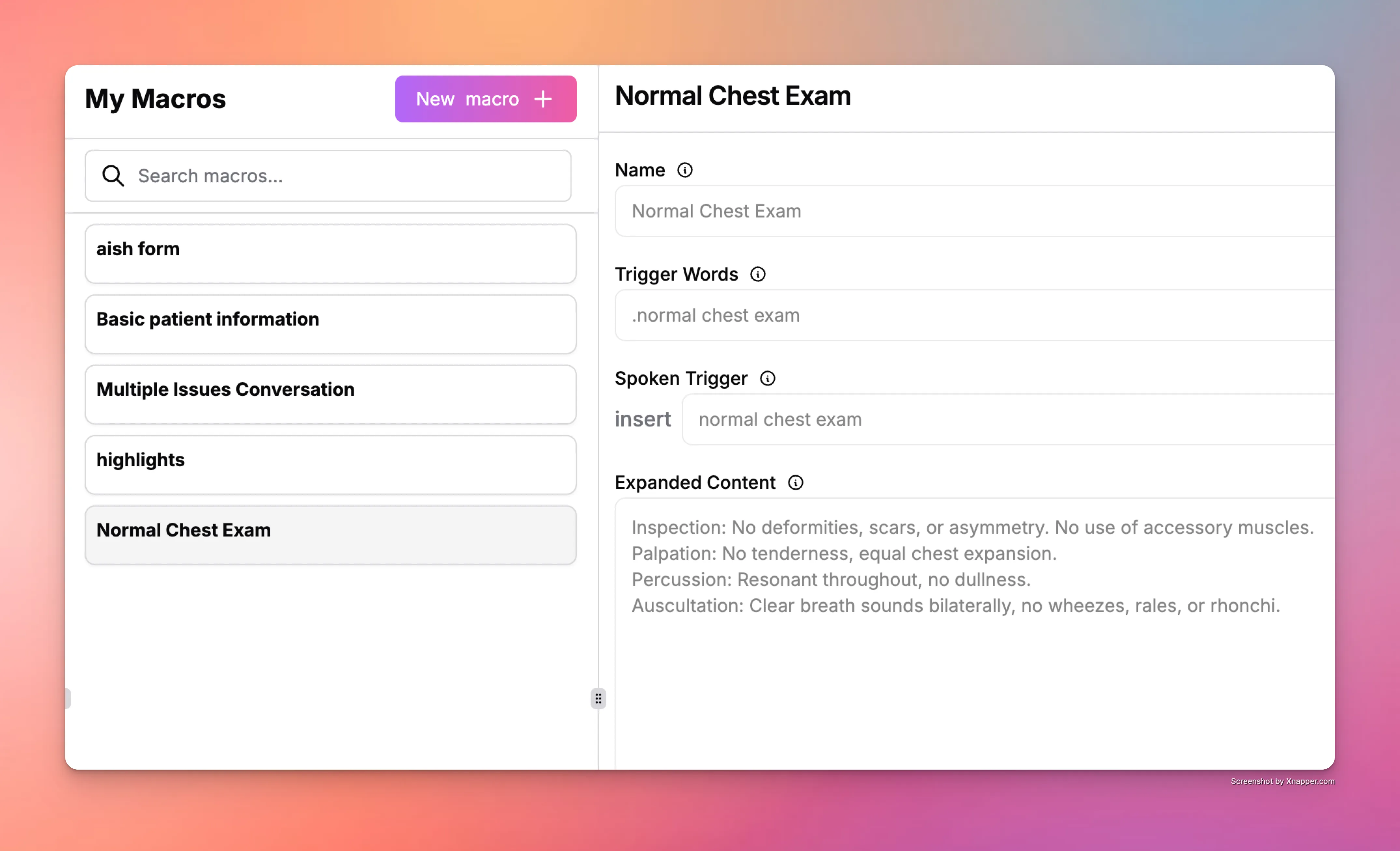
What does Macros do for documentation workflows?
Macros speed up charting by letting clinicians trigger pre-defined text with short commands. They are useful for recurring instructions, assessments, and plan language used across visits.
How does Macros fit into your workflow?
Clinicians define macro shortcuts once, then insert them during documentation whenever needed. This creates a faster and more predictable charting flow.
- Create macro shortcuts for repeated phrases or sections.
- Use shortcuts during note drafting or dictation workflows.
- Edit inserted text for patient-specific context.
- Maintain and update macro library as workflows change.
When should clinics use Macros?
Macros are best for high-frequency phrases and repeated documentation segments where manual typing adds unnecessary time.
- Assessment and plan language reused across similar visits.
- Standard patient instructions and follow-up text blocks.
- Clinics optimizing charting throughput during busy days.
Frequently asked questions about Macros
These FAQs explain how Macros support faster, consistent documentation.
Macros reduce repetitive typing and speed up note completion with reusable text shortcuts.
Yes. Inserted macro text can be adjusted before finalizing the note.
Yes. Teams can standardize frequent language and improve consistency with shared macro practices.
Ready to use Macros in your clinic?
Scribeberry helps teams reduce repetitive documentation with AI-powered workflows built for real clinical ops.
More forms & templates

