


The new Scribeberry app: an AI scribe and healthcare agent for iPhone and Android


In this article 13 sections
Quick answer
Scribeberry’s new iPhone and Android app combines an AI medical scribe with Berry, its healthcare agent. Use it alongside your existing EMR: record the visit, generate a note and copy the reviewed note into your chart. Accuro-connected clinics also get appointments and patient charts in the app. Ask Berry to prepare visits, fill forms and draft referrals using the information available to the scribe, then review the result.
The new Scribeberry app brings an AI medical scribe and healthcare agent to iPhone and Android. Use it alongside your existing EMR: record the visit, generate the note, then copy the reviewed note into your charting workflow.
Accuro clinics get an extra connection: your appointments and patient charts travel with you. Open the next visit and ask Berry to prepare the chart, fill a form or draft a referral. You review the work before it leaves your hands.
That’s agentic AI in healthcare in its most practical form: one request, real actions, and a clinician reviewing the result.
Here’s the new app, almost entirely in video. These are recreated app demonstrations with fictional patients and condensed timing.
Your Accuro day, with Berry alongside
Your clinic’s Accuro connection brings appointments and patient charts into the mobile app. Open the next visit, then ask Berry to handle the paperwork. Here, Berry fills the CRA Disability Tax Credit form from the visit and linked chart, lists the sources it used and opens a draft PDF for your review.
Undocumented answers stay blank. Check the form before signing, just as you review a generated note. The Accuro mobile walkthrough covers appointments, chart records and referrals in more detail.
From Up next to a finished note
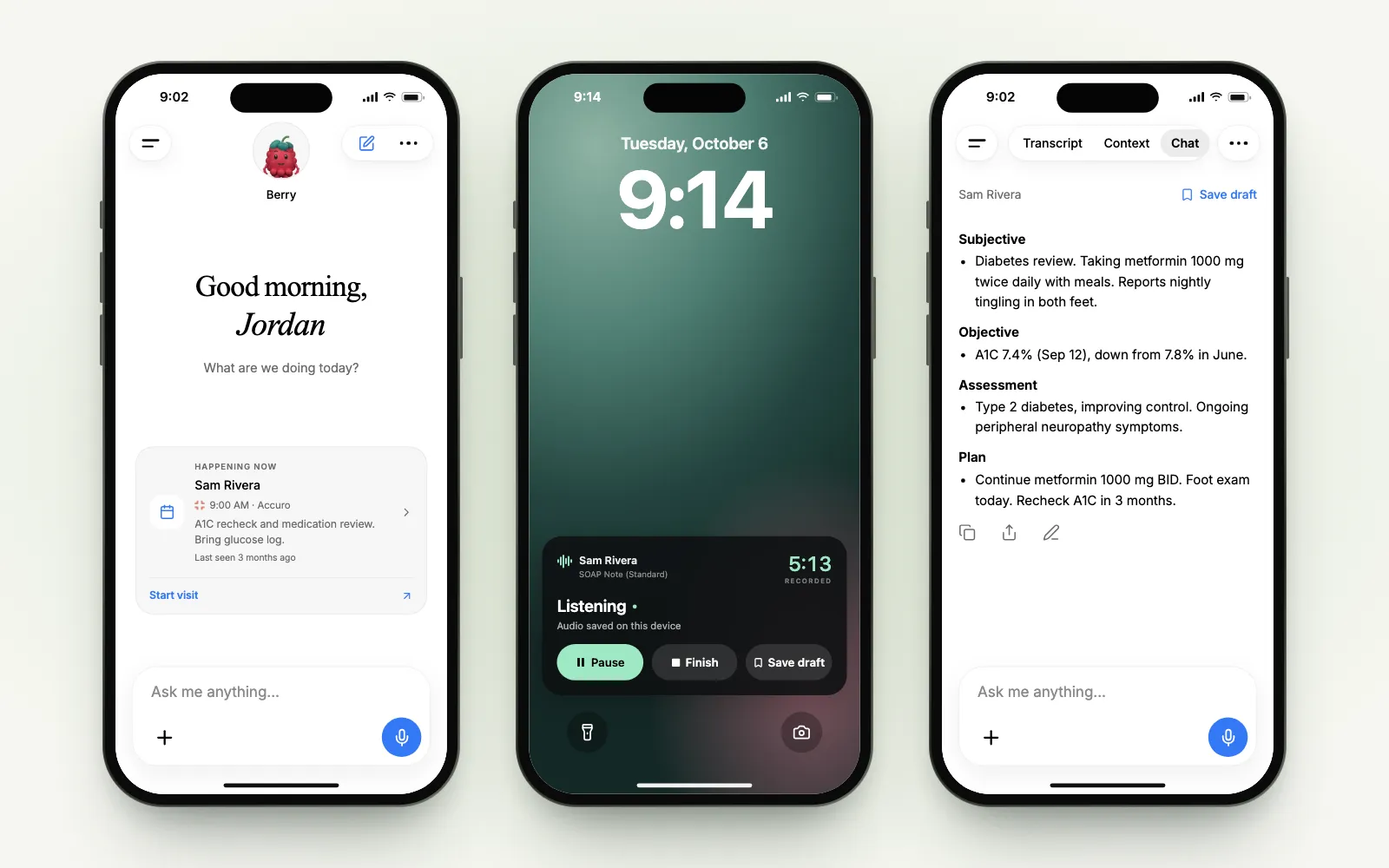
Home opens with the next appointment from your schedule. Up next (or Happening now) shows the patient, the time, the calendar it came from and a preview: the visit notes, or what happened last time, with a “last seen” label.
Tap Start visit. The scribe opens for that patient and, with automatic recording on, starts listening. The transcript refines while you talk: words still being worked out appear in grey, then settle.
When the conversation is over, tap Generate. Scribeberry finishes the transcript and writes the note in the Chat tab, ready to copy, share or edit.
You can tap Next patient while the note is still generating. It keeps going in the background, and the finished note waits in that patient’s scribe.
Keep recording when you leave the app
Patients ask to see the bathroom scale. Someone knocks with a question. You put the phone down.
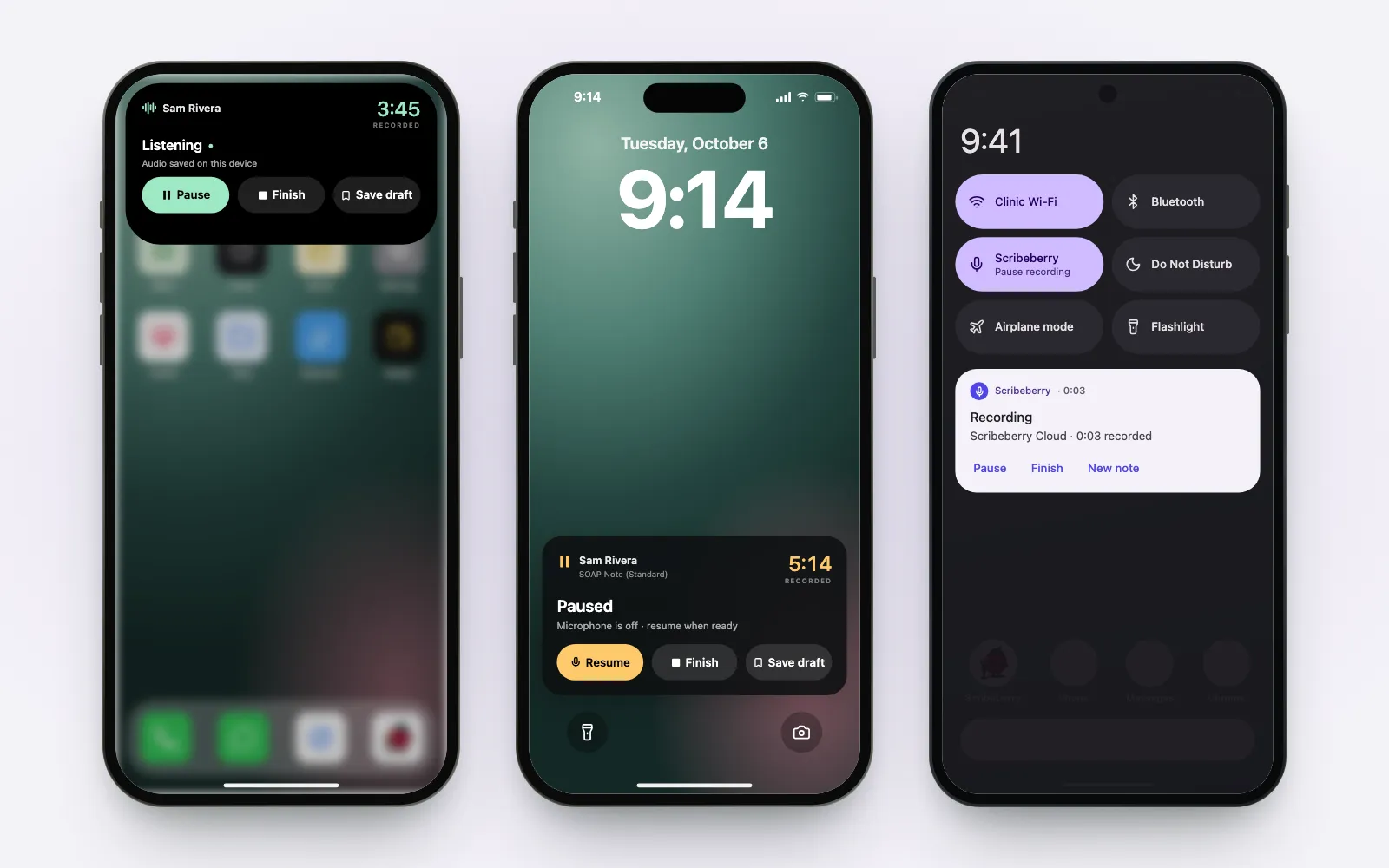
The recording carries on, and its controls follow you. On the iPhone Lock Screen, the Live Activity shows the recorded time, with Pause, Finish and Save draft. After Finish, it walks through the transcript and the note until Note ready, and Open note takes you straight back.
The Lock Screen names the recording by its patient and template, so the patient’s name is visible on a locked phone. Keep that in mind when your phone sits face-up on a desk.
Away from Scribeberry, the Dynamic Island keeps the timer in view. Touch and hold it for the same controls. Save draft is the quiet one: it stops recording and keeps the scribe as a draft, without generating a note.
Start the next scribe with Siri
“Start a new scribe in Scribeberry” opens a new scribe with your saved template and recording preferences. Siri also understands “Next patient in Scribeberry,” “Pause Scribeberry,” “Resume Scribeberry” and “Finish recording with Scribeberry.”
You can also add New scribe to Control Center, the Lock Screen or the Action Button. Siri may ask you to enable the shortcut the first time you use it.
On Android, it’s in Quick Settings
Android gets its own native controls. Add the Scribeberry tile to Quick Settings to start a recording. The recording notification carries Pause, Finish and New note, then follows the note through to Note ready.
Ask Berry, instead of hunting for a setting
The composer at the bottom of every screen takes requests as well as questions:
“Switch to dark mode.” “Turn off automatic recording.” “Start a new scribe.”
Berry runs the action and replies with a short confirmation. Tap the small chevron if you want to see the steps it took.
The same goes for opening your scribes, templates, macros, drafts or settings, pausing the current recording, or telling Berry what to call you.
Find the right template by asking
“Find me templates for cardiology.”
Berry lists matches from your libraries, labelled Yours, Team or Scribeberry, with how often each has been used. Choose one, and it applies to this scribe. Choose Generate note, and Berry writes the note with it.
Muse for healthcare, now in your pocket
When Meta launched Muse, its personal AI agent, it made a simple idea easy to picture: ask for the result, and let an agent use the tools. We’ve called Berry Muse for healthcare for that reason. (Berry is made by Scribeberry; it isn’t a Meta product.)
On the phone, that idea gets very concrete. In a scribe linked to a patient, ask a question about the chart and Berry reads that patient’s chart, then answers with dates:
Ask for the paperwork, and Berry does the paperwork. Here it fills the CRA Disability Tax Credit form from the visit and the chart. It lists the sources it reviewed and leaves undocumented answers blank, so the review stays with you.
And the referral that usually waits until the end of the day goes out from the same conversation: choose the specialist, review the letter and the fax details, then send.
The receipt says what actually happened: the fax service accepted the referral and queued it. Delivery is a separate status. For the bigger picture, see how doctors use Berry across a clinic day.
Works where the Wi-Fi doesn’t
Basements, rural clinics, the far end of the ward. Choose Scribeberry On-Device in Settings → Recording & audio and transcription happens on the phone itself, offline, after a one-time setup. Common medicines and specialty terms are included in its medical vocabulary for English.
Generating the note still needs a connection. Scribeberry Cloud remains the choice for live translation and languages your phone can’t process. If its connection drops, the microphone keeps recording to encrypted storage on the phone, and transcription catches up when you’re back online.
Use it alongside your existing EMR
Keep the EMR your clinic already uses. Record and generate the note in Scribeberry, review it, then copy it into your charting workflow. Your scribes sync with Scribeberry on the web, so you can start on your phone and continue at your desk. You don’t need an Accuro connection to use the AI scribe.
If your clinic uses Accuro EMR, the app goes further: your Accuro schedule on Home and in the calendar, chart records you can bring into the note, and Berry answering from the Accuro chart. That has its own walkthrough: Accuro on your phone.
The schedule and the chart each get a closer look too:
- Your clinic schedule on your phone: Agenda, Day and Month, calendar links, day-sheet photos and pre-charting.
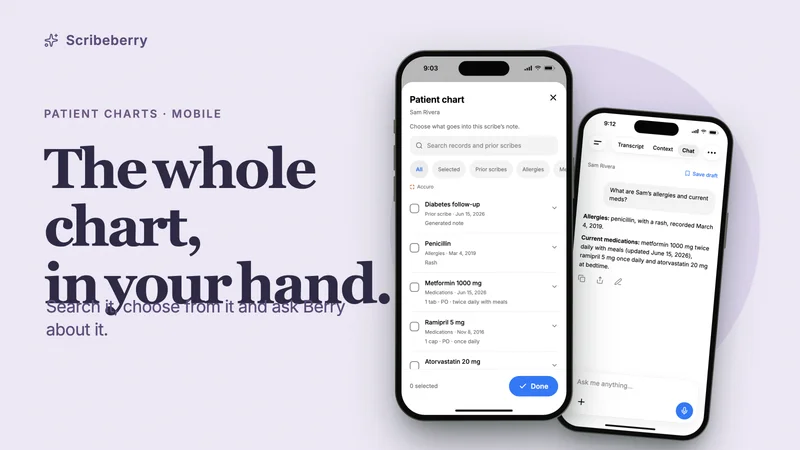
- Patient charts on your phone: search the chart, choose what goes into the note and ask Berry about it.
Canadian care, Canadian patient data
Scribeberry has been built in Canada since 2023. In May 2025, Canada Health Infoway pre-qualified Scribeberry for its national AI Scribe Program, after an evaluation that covered privacy, cybersecurity, EMR integration and clinical usability. Canadian customer patient data is stored and processed in Canada, with end-to-end encryption. US infrastructure serves US and international customers. Our security page has the details.
Berry prepares the work; you make the clinical decisions. Read the note, check the form, confirm the fax destination. That’s the whole point: less typing, the same judgment.
Get the app
Download Scribeberry, sign in, and start with the next patient on your list.
Already on the web? Your scribes, templates and macros are waiting in the app. Meet Berry for everything it can do.
Frequently asked questions
Is Scribeberry available on iPhone and Android?
Yes. Scribeberry is in the App Store for iPhone and iPad and on Google Play for Android. Sign in with your Scribeberry account, and your scribes sync with the web app.
What can Berry do in the mobile app?
Berry can start and control recordings, find and apply templates, change app settings, answer questions from a linked patient’s chart, fill forms, draft and fax referrals, prepare draft scribes from your schedule and look up billing codes. Some workflows depend on your connected EMR, plan or add-ons.
Do I need Accuro to use the Scribeberry app?
No. Use Scribeberry alongside your existing EMR: record visits, generate notes and copy reviewed notes into your charting workflow. Your scribes sync with Scribeberry on the web. A connected Accuro integration adds appointments and patient-chart access inside the app.
Does the Scribeberry app work offline?
Scribeberry On-Device transcribes speech on your phone and works offline after a one-time setup. Generating the note needs an internet connection. With Scribeberry Cloud, audio keeps saving to encrypted storage on the phone if the connection drops, and transcription retries when you’re back online.
Can I control a recording without opening the app?
Yes. On iPhone, the Lock Screen and Dynamic Island offer Pause or Resume, Finish and Save draft, and Siri can start a new scribe. On Android, the recording notification offers Pause or Resume, Finish and New note, and a Quick Settings tile can start a recording. The Lock Screen shows the patient’s name and template.
Where is Canadian patient data stored?
Canadian customer patient data is stored and processed in Canada, with end-to-end encryption. Scribeberry’s US infrastructure serves US and international customers.
Sources

More on topic
-
Workflows
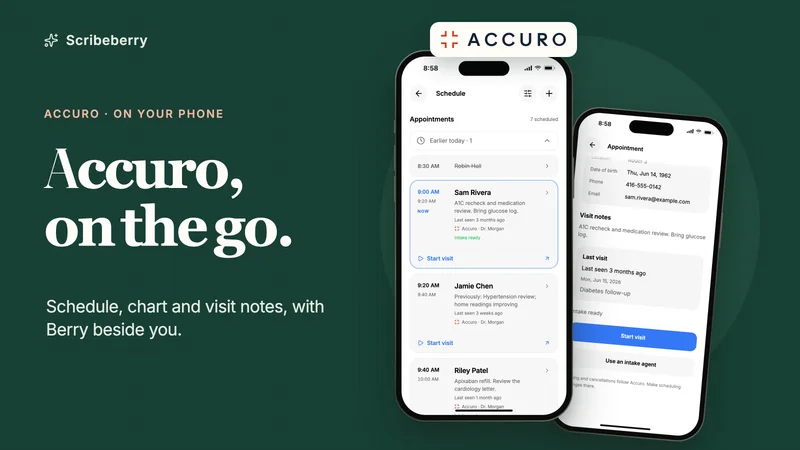
Accuro on your phone: Berry, the agentic AI scribe assistant for Accuro EMR
Use Accuro from your phone with Scribeberry: appointments with visit previews, chart records, dated lab answers, referrals and AI notes, in 11 device demos.
-
Workflows
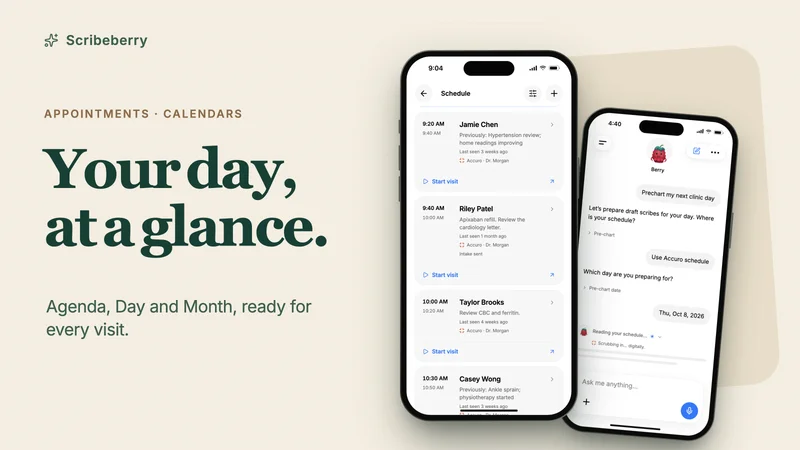
Your clinic schedule on your phone: appointments, calendars and pre-charting with Berry
See today’s patients, add appointments, connect calendars, import a day sheet and pre-chart any clinic day from your phone with Scribeberry and Berry. 10 demos.
-
Workflows
Patient charts on your phone: search, review and ask Berry about the whole chart
Review a patient’s chart on iPhone or Android: search records, preview documents, choose what goes into the note and ask Berry questions with dated answers.