


Accuro on your phone: Berry, the agentic AI scribe assistant for Accuro EMR


In this article 12 sections
Quick answer
Scribeberry’s mobile app connects to Accuro EMR. You can see Accuro appointments on iPhone or Android, start a visit from one, choose chart records for the note and ask Berry questions about the patient’s Accuro chart. Berry can also prepare a clinic day, fill forms and fax referrals. Send finished notes to Accuro from Scribeberry on the web.
If your clinic runs on Accuro, a lot of what you need between patients is in the chart: who’s next, what changed last time, the result that came back on Friday.
The new Scribeberry app puts that on your phone and puts Berry beside it. Think of Berry as an agentic Accuro AI scribe assistant: it writes the note like any AI scribe, and it can also read the Accuro schedule and chart, prepare visits and carry the follow-up work forward.
Here’s an Accuro clinic day on iPhone and Android, in 11 short videos. Each is a recreated app demonstration with fictional patients and condensed timing.
Your Accuro day starts on Home
Open the app and Up next shows the Accuro appointment in front of you: Sam Rivera, 9:00, with Accuro’s visit notes and “Last seen 3 months ago.”
Tap it for the full schedule. Visits that have already ended fold under Earlier today, the current one is marked Now, and each card shows its preview and intake status. Open an appointment for the visit type, clinician, room, date of birth and contact details, then the visit notes and the last visit. Start visit opens the scribe and, with automatic recording on, starts listening.
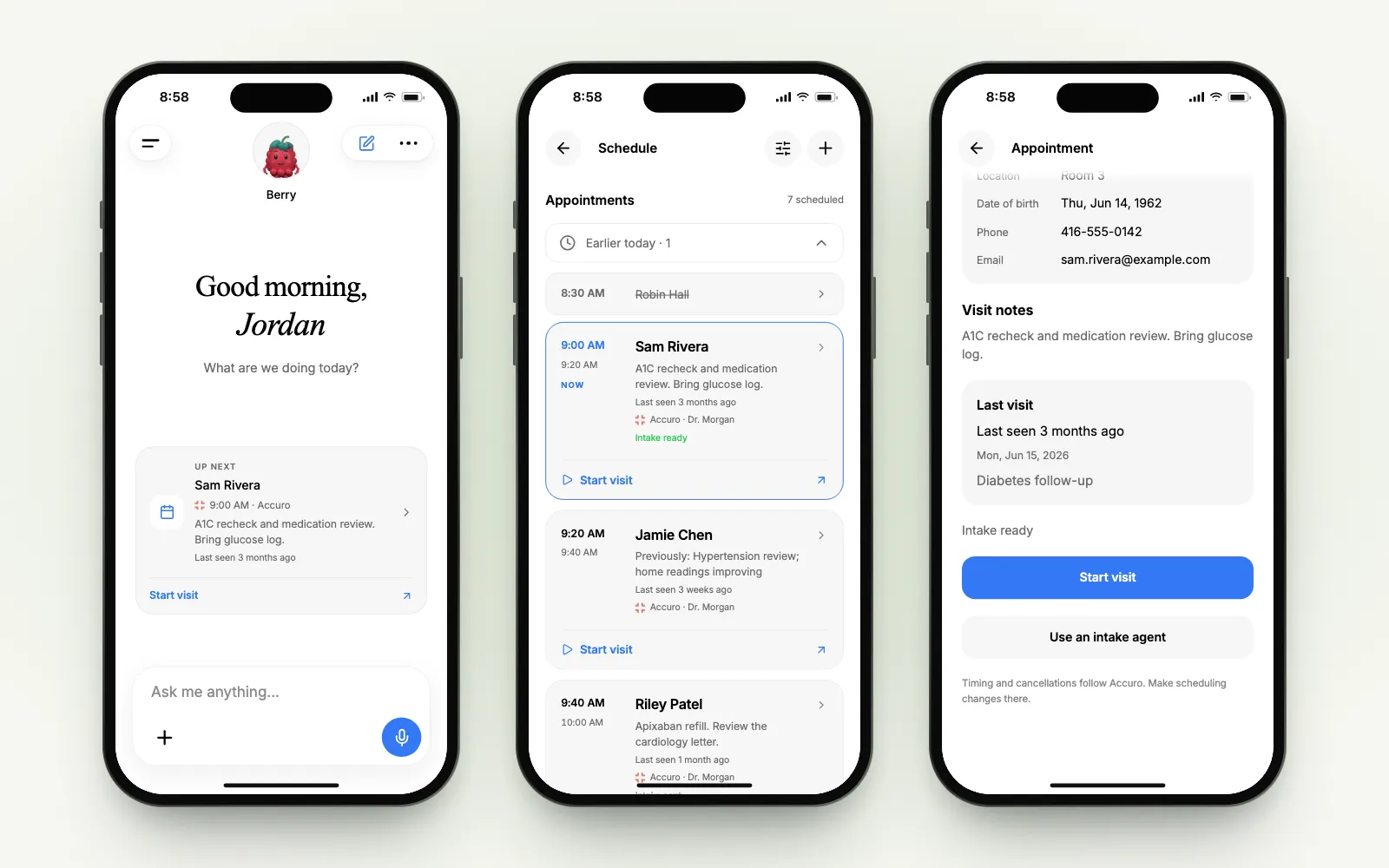
Accuro stays the source of truth for the schedule. Times and cancellations come from Accuro, so make scheduling changes there.
Agenda, Day and Month
The Schedule has three views. Tap Accuro to see only Accuro appointments when you also keep a Scribeberry calendar or a subscribed one.
Or skip the calendar and just ask:
“What’s my morning like tomorrow?”
Prepare any clinic day from Accuro
“Prechart my next clinic day.”
Choose Use Accuro schedule, then the day: today, tomorrow, or any date from the calendar that opens in the conversation. Berry reads that day’s Accuro appointments, shows you what it will prepare, and creates a draft scribe for each visit in a pre-chart folder.
Each prepared visit can carry a short chart brief built from the records Berry imported. Narrow the list first if you only want some of the day:
Bring the right Accuro records into the note
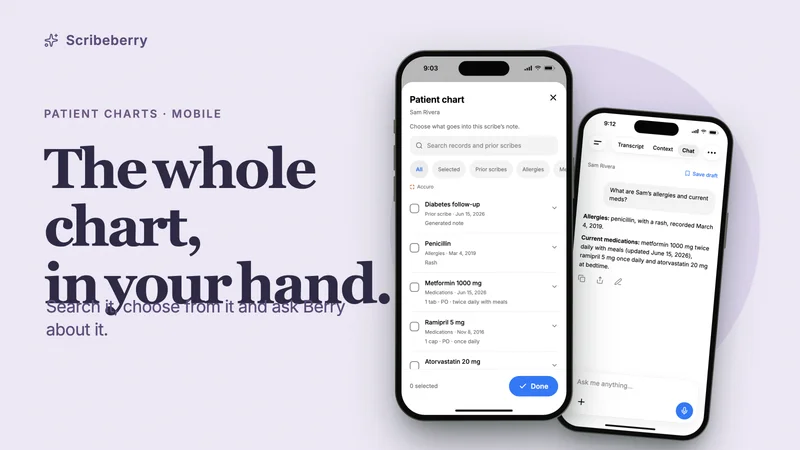
In a visit linked to an Accuro patient, the Context tab has a Patient chart card. It opens Sam’s Accuro chart, newest first: allergies, medications, diagnoses, history, labs, encounter notes, documents and prior scribes.
Filter by section, preview a record and tick what belongs in today’s note. Your selection decides what goes in.
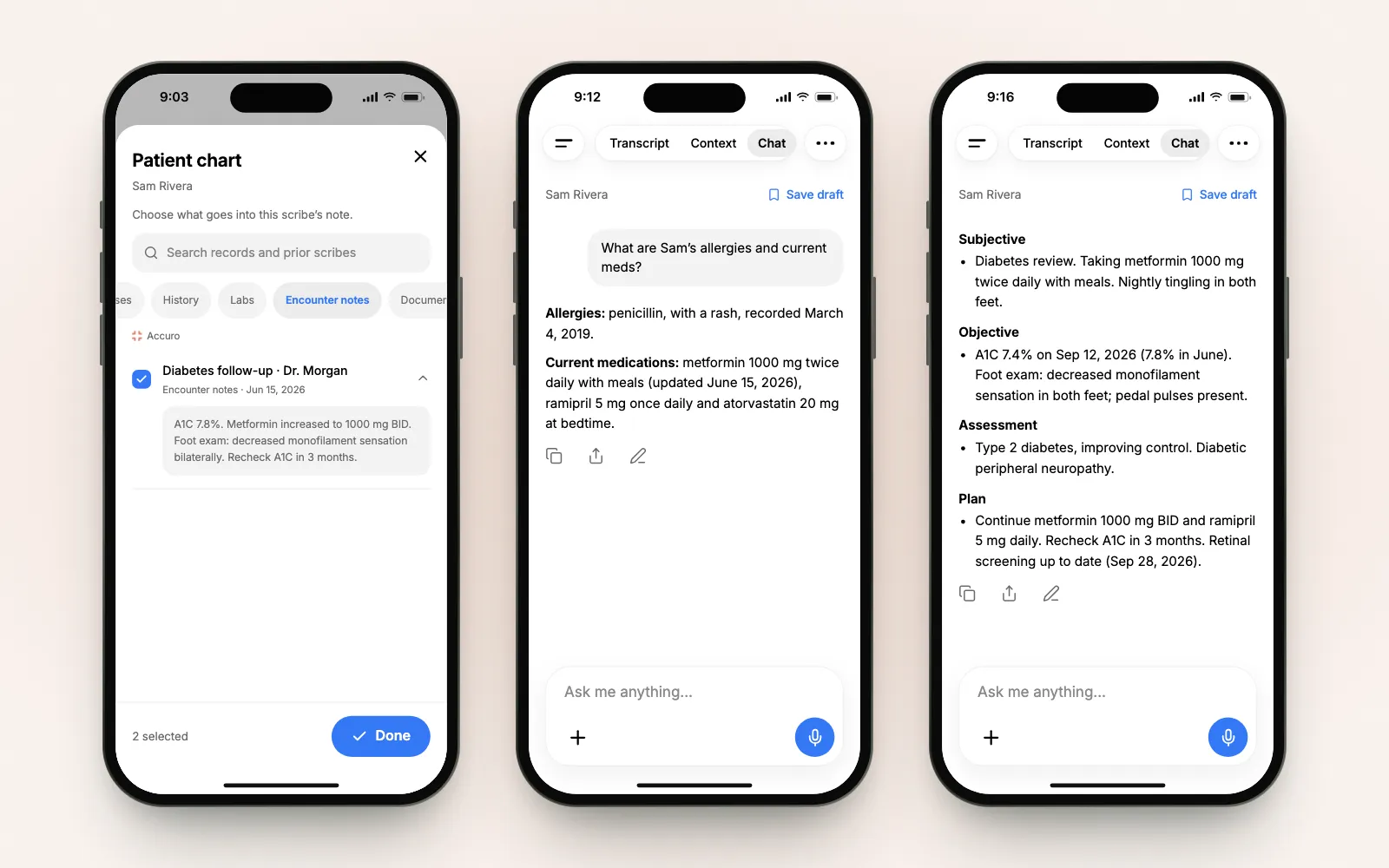
Ask the Accuro chart a question
The quickest chart review is a question:
“When was Sam’s last A1C, and what was it?”
Berry reads Sam’s chart and answers with the values and the dates they were recorded.
It reads more than lab tables. Ask for a summary of recent visits, and Berry works from Accuro encounter notes, labs, documents and prior scribes, each listed with its own date.
A scribe linked to a patient stays with that patient. Ask about someone else from Sam’s scribe, and Berry suggests starting a new chat.
Refer from the visit
“Refer Sam to Dr. Lin at Riverside Endocrinology.”
Berry finds the specialist in the directory and drafts the letter from the visit and the chart, listing the sources it reviewed. Review the letter, then the fax details: recipient, practice, fax number, where the number came from, and your return fax. Then send.
The receipt reports the fax as queued: the fax service has accepted it, but delivery isn’t confirmed yet.
Fill forms from the chart
Forms use the same chart access. In Sam’s scribe, Berry fills the CRA Disability Tax Credit certificate from the visit, the linked record and Accuro demographics, and leaves undocumented answers blank for you.
Billing codes for Ontario visits
“Find billing codes for this visit.”
Berry can look up fee codes from the provincial schedule for Ontario, British Columbia, Alberta, Saskatchewan and Manitoba. Here’s an illustrative Ontario diabetes visit; our OHIP billing codes guide walks through it.
Sending the finished note to Accuro
Generate and review the note on your phone. It syncs to your Scribeberry account, and you can send it to Accuro from the web: open the note, choose Send to Accuro, pick the letter type and select Send to EMR.
ACCUROgo, Accuro AI Scribe and Scribeberry
Three names that come up together:
- ACCUROgo is QHR Technologies’ companion app for Accuro EMR: patient information, chart photos and appointments on the go.
- Accuro AI Scribe, powered by Heidi is an AI scribe offered by Accuro.
- Scribeberry is an independent Canadian AI scribe and agent, listed among Accuro’s Marketplace vendors. Its mobile app brings the Accuro schedule and chart into the visit, with Berry working alongside.
Connect Accuro, then start with one visit
New to the integration? Start with the Accuro integration tutorial. You can also select Scribeberry on Accuro’s Marketplace add-ons enquiry form, or email our team for help with your clinic’s connection.
Once it’s connected, the app picks it up automatically. Open Home, tap the next Accuro appointment, and start the visit.
For everything else the app does, from Lock Screen controls to offline transcription, see the new Scribeberry app.
Frequently asked questions
Is there an AI scribe for Accuro on iPhone and Android?
Yes. Scribeberry’s mobile app works with Accuro EMR on iPhone and Android. It records the visit, writes the note and uses your clinic’s Accuro connection for appointments, chart records and Berry’s chart answers.
Is Scribeberry the same as the ACCUROgo app?
No. ACCUROgo is QHR Technologies’ companion app for Accuro EMR, for patient information, chart photos and appointments. Scribeberry is a separate app with an AI scribe and the Berry agent. It connects to Accuro through Scribeberry’s integration.
Can I send a note to Accuro from my phone?
Generate and review the note on your phone; it syncs to your Scribeberry account. To send it to the chart, open the note in Scribeberry on the web, choose Send to Accuro, pick the letter type and select Send to EMR.
Which Accuro records can Berry use?
The patient chart in a linked scribe lists allergies, medications, diagnoses, history, labs, encounter notes, documents and prior scribes. Your selections decide what goes into the note. When you ask Berry about the patient, it answers from that patient’s chart, with dates.
Can I change Accuro appointments in Scribeberry?
No. Accuro remains the source for its appointment times and cancellations. Scribeberry shows them in Agenda, Day and Month and opens the visit; make scheduling changes in Accuro.
Is Berry the same as Accuro AI Scribe, powered by Heidi?
No. Accuro AI Scribe, powered by Heidi, is a separate product offered by Accuro. Berry is Scribeberry’s healthcare agent, used with its Accuro connection. Scribeberry is listed among Accuro’s Marketplace vendors.
Sources

More on topic
-
Product
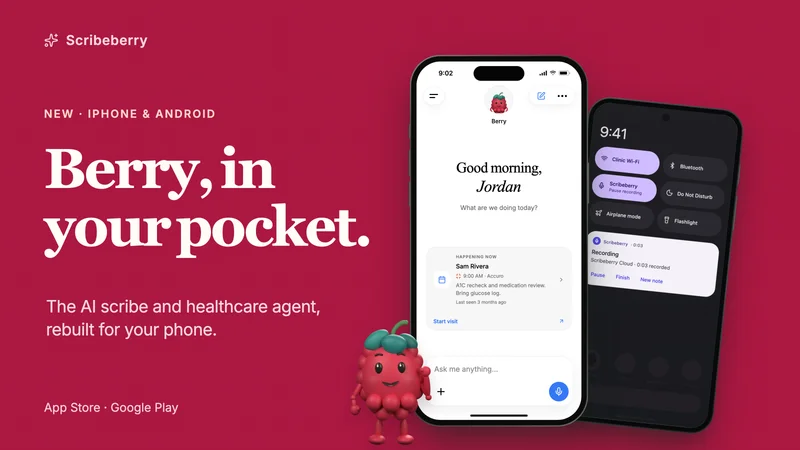
The new Scribeberry app: an AI scribe and healthcare agent for iPhone and Android
Use Scribeberry alongside your existing EMR, with Accuro appointments and charts for connected clinics. Ask Berry to prepare visits, fill forms and draft referrals.
-
Workflows
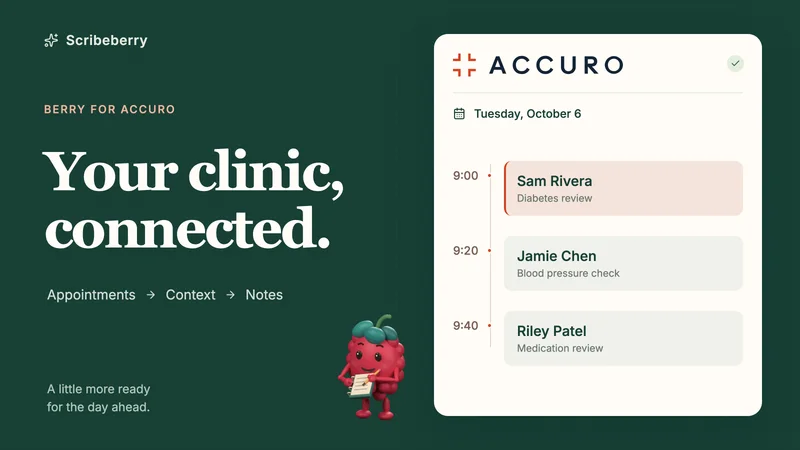
Berry for Accuro: from appointments to the chart
See Scribeberry and Berry work with Accuro: mobile calendars, appointment questions, pre-chart briefs, lab results and note review, with six device demos.
-
Workflows
Patient charts on your phone: search, review and ask Berry about the whole chart
Review a patient’s chart on iPhone or Android: search records, preview documents, choose what goes into the note and ask Berry questions with dated answers.