


Deeper QHR Accuro Integration, PDF Form Improvements, Admin Portal

In this article 6 sections
Hi Fellow Scribeberry Users!
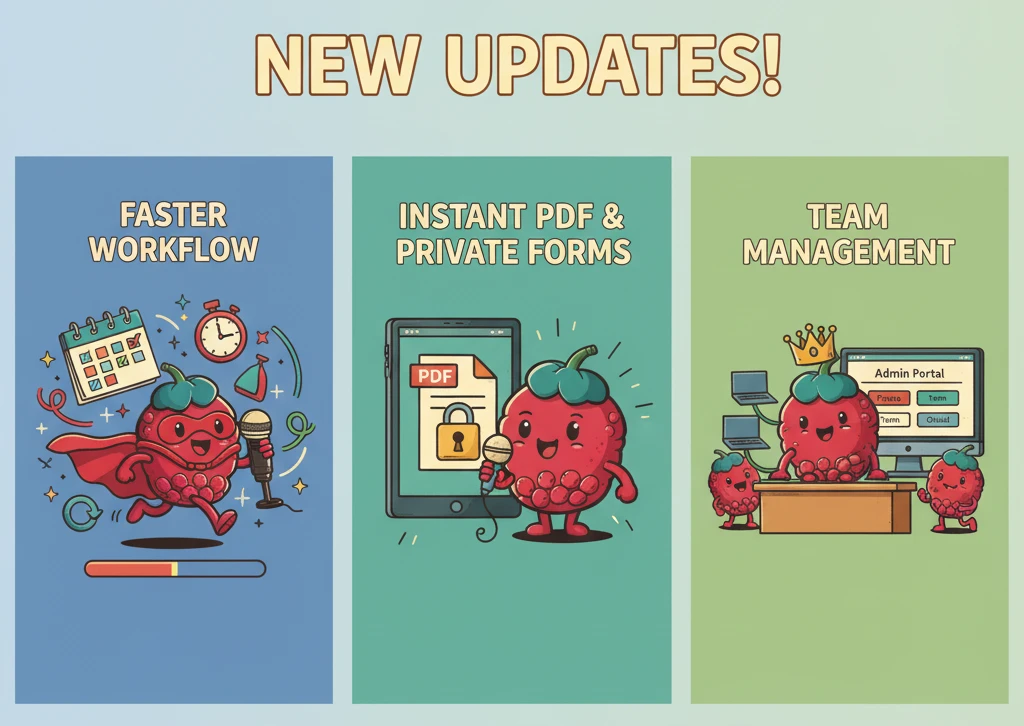
We’re rolling out a set of updates designed to improve your experience. The TLDR below summarizes a few new changes to save you some reading time.
TL;DR
- QHR Accuro upgrades: Faster schedule/daysheet access, support for more context, custom bands, integration preferences, and preserved rich text formatting when pushing back to Accuro
- Instant PDF Auto-Tag and Fill. Private Forms: Upload any PDF and fill it from EMR without tagging or processing delay - fill forms instantly from conversations or text in minutes - keep sensitive forms private.
- Group Admin Portal + Team Forms/Templates: Restrict forms and templates to Private, Team, or Global; manage clinic-wide individual licenses in a new Admin Portal
QHR Accuro: Faster Navigation, Custom Bands, and Rich Text
We’ve deepened our integration with QHR Accuro to make daily workflows smoother and formatting more reliable.
What’s new and improved
- UI/UX shortcuts: Quickly find your schedule and day-sheet with fewer clicks directly in Scribeberry. Single-Click launch a visit
- Custom bands: Pull Allergies, Diagnoses, Medications, Encounter Notes, Custom Bands, and Labs from Accuro into Scribeberry for use as context in the visit.
- Fill out PDF Forms or Notes using the pulled data inside Scribeberry
- Rich Text preservation: Keep your formatting intact when pushing notes back to Accuro.
- Integration Preferences: Determine default settings - ie. what data gets pulled by Accuro to use in a visit when launching a new visit
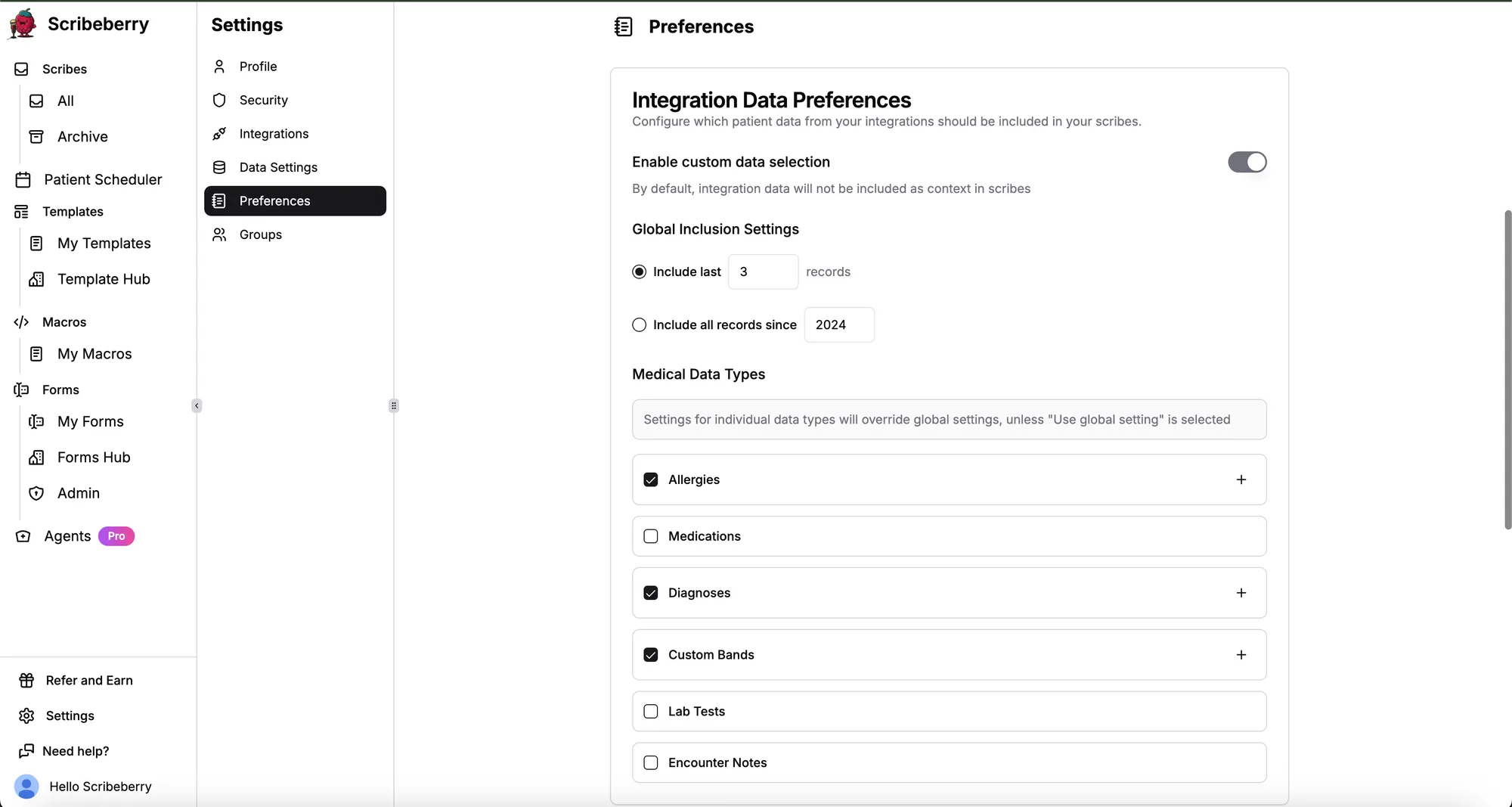
Result: Less copying, cleaner output, and a more seamless transition between Scribeberry and Accuro.
We are continuing to work on a number of further deep integrations with Accuro
Auto Tag/Fill: Upload a PDF Form → Auto-Tag & Auto-Fill in Minutes
Skip the manual mapping that our competitors do. When you upload a PDF form to Scribeberry, it now becomes instantly fillable. Use data from your EMR, AI Scribe conversations, or free text to fill the form - your choice.
Why it’s faster
- Forms no longer require 1-2 days for manual processing
- Instantly usable: Upload a unique form → input data → receive a filled PDF in minutes.
- Works with your data: Pull fields from EMR, conversation notes, or typed text.
- Privacy first: Keep unique or sensitive forms private while still making them fillable.
Quality you can count on
- Auto-tagging keeps getting smarter. If a niche form doesn’t fill perfectly, our 24/7 in-app human support will help you resolve it.
How to try it
- Drag-and-drop your PDF form into Scribeberry.
- Choose your data source (EMR fields, conversation notes, or text).
- Generate and review your filled PDF.
Updated Teams and Groups - Private Forms/Templates. An Administrator Portal
- Admin Account Control: A single administrator can now provision licenses, share templates or forms within a team, and transfer licenses
- Click-to-transfer licensing: Transfer, update, or change licenses directly in the UI, no tickets or delays.
- Governance at scale: Maintain consistency across clinics, departments, or locations while protecting sensitive materials.
- Users invited by an Administrator can choose to have the following for their templates and Forms
- Private: Keep sensitive or proprietary forms/templates visible only to you.
- Team: Share within the specific group so everyone uses the same, approved versions.
- Global: Share across the entire platform
Tip: Use Private for private insurance forms or unique forms.
Existing Enterprise Teams/Group administrators can reach out to hello@scribeberry.com to get access to the new Admin portal.
Real-World Use Cases
- Private insurance forms: Get a request from a patient to fill out a 10 page insurance form? Upload it to Scribeberry, paste or pull data from your EMR, click a button –> PDF form complete for you to review in a few minutes.
- Provider Switch: A colleague leaves the clinic and stops using Scribeberry? Transfer the license to another colleague using the dedicated Admin portal
- Clinic Templates/Intakes: Have a template you want only visible to your clinic? Mark it as a Team template - only your team can view it
- Custom Bands in Accuro: Have specific data you like pulled into your visit? Pre-populate this as context with a click.
Ongoing Improvements & Support
We’re continually enhancing auto-tagging - especially for unique and specialty forms. If you notice anything off, contact our 24/7 in-app human support and we’ll fix it quickly.

More on topic
-

Guides
AI Charting Tools: How They Cut Documentation Time by 30% and Give Doctors Their Lives Back
AI charting tools reduce physician documentation time by 28.8% on average. Learn how ambient clinical intelligence is changing medical record-keeping.
-

Guides
AI Medical Transcription in 2026: What Physicians Need to Know
AI medical transcription saves 3.8 minutes per note and costs $99-299/month. Accuracy rates, Canadian options, and whether AI replaces human transcriptionists.
-

Guides
AI Clinical Documentation Is Saving Physicians 15,000 Hours a Year. Here's How.
AI clinical documentation tools cut note-writing time by 41 seconds per patient and reduce burnout in 30 days. Real studies, real results.