


Scribeberry Dictate: AI medical dictation software anywhere your cursor is


In this article 7 sections
Quick answer
Scribeberry Dictate is AI medical dictation software that lets clinicians hold one shortcut and dictate finished clinical text directly into any EMR, inbox, or PDF form, or generate structured notes in their template. It runs across three synced surfaces: Scribeberry Computer (flagship Mac app with the best UX), the Mac and Windows Desktop App, and the Chrome Extension for browser-based EMRs. Medical Dictionary, Voice Macros, Auto-Detect Language (40+ languages), and Paste vs. Live mode sync automatically across all three.
Ambient AI scribing handles the full patient encounter, yet half a clinic day still happens at the keyboard: a signed-note addendum, a rheumatology consult paragraph, a referral letter, an inbox reply, or a search for an 18-letter biologic name inside your EMR.
Scribeberry Dictate brings AI medical dictation software and clinical speech-to-text to wherever your cursor already sits. Click into any editable field, hold one shortcut, speak naturally, and let finished clinical prose land right in place. No separate dictation box, no voice-profile training, and no copying and pasting between windows.
Here is how Scribeberry Dictate handles specialist terminology and diverse accents, creates both direct cursor dictation and structured EMR notes, compares with traditional clinical transcription, and runs across three synced workstation apps.
Medical speech-to-text built for specialist prose and diverse accents
General-purpose dictation breaks down the moment a clinician leaves plain English. Biologic names get mangled, lab units lose their formatting, and anatomical landmarks turn into phonetic guesses that take longer to fix than typing by hand.
Consider a routine rheumatology follow-up note:
Rheumatology follow-up for a 46-year-old woman with psoriatic arthritis and axial involvement. She reports worsening morning stiffness lasting approximately 90 minutes, bilateral sacroiliac pain, and recurrent swelling of the proximal interphalangeal joints. She also describes Achilles enthesitis and intermittent dactylitis of the right second toe.
She previously received Adalimumab with an initial clinical response followed by secondary loss of efficacy. She subsequently transitioned to Secukinumab, which improved her cutaneous psoriasis but provided incomplete control of her peripheral arthritis. We discussed Upadacitinib as a potential alternative, pending reassessment and completion of pretreatment screening.
Laboratory investigations demonstrate an elevated C-reactive protein of 18 mg/L and an erythrocyte sedimentation rate of 34 mm/h. Rheumatoid factor and anti-cyclic citrullinated peptide antibodies are negative. MRI demonstrates bilateral active sacroiliitis with subchondral bone marrow oedema.
In Paste mode, you hold Option + Space in Scribeberry Computer, speak continuously without saying “comma” or “period” out loud, and release. Scribeberry applies full-context clinical transcription and AI polish, then pastes the formatted paragraph straight into the active EMR field.
Four features that make dictation feel effortless
Every dictation setting lives on your Scribeberry account and stays synced whether you are using Scribeberry Computer, the Desktop App, or the Chrome Extension:
- Medical Dictionary: Add specialty terminology, drug names (
Adalimumab,Secukinumab,Upadacitinib), eponyms, and referring colleague names once. Phonetic matching keeps them spelled accurately across every dictation session. - Voice Macros: Built-in spoken formatting commands (
new paragraph,new line,bullet point,full stop,semicolon) work immediately. You can also save up to 100 custom clinical macros (for example, saying"insert psoriatic plan"or"normal exam") to drop multi-line templates straight into the chart. - Auto-Detect Language: Leave language set to Auto across 40+ languages, including English, French, Spanish, Mandarin, Cantonese, Punjabi, Arabic, and Hindi. Switch between English and French visits without touching a settings dropdown.
- Paste Mode vs. Live Mode: Choose Paste mode when you want full-context AI polish pasted cleanly on release (ideal for multi-sentence clinical blocks and older desktop EMR text fields), or Live mode when you want words streaming directly at your cursor in real time and polishing automatically on stop.
Three ways to dictate: Computer Use, Desktop App, or Chrome Extension
Clinics run on different hardware and IT policies. Instead of forcing every clinician into a single installer, Scribeberry Dictate runs on three synced surfaces with full dictation feature parity:
| Surface | Platforms | Best for | Strengths | Trade-offs |
|---|---|---|---|---|
| Scribeberry Computer (Recommended) | macOS (Apple Silicon) | Clinicians on Mac who want the best overall UX | Floating dictation pill with live waveform near your cursor, works in every native and web app, plus Berry computer-use automation (pasting notes, pre-charting, filing faxes) | macOS only for now; requires one-time Accessibility, Screen Recording, and Microphone permissions |
| Scribeberry Desktop App | macOS & Windows | Windows clinic workstations and installed desktop EMRs | Full feature parity (Option+Space on Mac, Ctrl+Space on Windows), lightweight system-tray footprint, works across Accuro desktop, TELUS EMR, Epic, Cerner, and Healthquest |
Requires local desktop installation; focused on dictation and scribing rather than autonomous screen-clicking routines |
| Chrome Extension | Chrome (Mac, Windows, Chromebook) | Browser EMRs and locked-down clinic computers | Zero desktop install (add from the Chrome Web Store in 10 seconds), works inside OSCAR Pro, Jane, TELUS CHR, Juno, and MYLE alongside Smart Pull and Smart Push | Browser-only: cannot dictate into native desktop apps outside Google Chrome |
If you work on a Mac, Scribeberry Computer is the clear first choice. Holding Option + Space brings up the lightweight pill right beside your work, streams or pastes cleanly into any window, and gives you Berry’s computer-use workflows in the same app.
If your clinic runs in Chrome (OSCAR Pro, Jane, TELUS CHR, Juno, or MYLE) or locks down local installers, the Chrome Extension gives you the exact same Medical Dictionary, Voice Macros, Auto-Detect Language, and Paste/Live modes directly inside your browser tabs.
Direct cursor dictation or structured notes in your EMR
Because Scribeberry Dictate writes into whichever field currently has focus, there is nothing to migrate and no proprietary portal to switch to. Clinicians use medical voice-to-text in two complementary ways:
- Direct field dictation (
Option+Space/Ctrl+Space): Drop polished sentences, addenda, lab summaries, or referral reasons straight into any text box in your EMR, PDF form, or inbox. - Structured notes in your template: Start an in-app Dictation session, narrate the encounter in your own order, and let Scribeberry organize it into a structured SOAP, consult, or procedure note ready to push straight into your chart.
Both workflows run across the systems clinics already rely on:
- Installed and web Canadian EMRs: Accuro, OSCAR Pro, Jane, TELUS EMR, TELUS CHR, Juno, MYLE, Healthquest, Intrahealth Profile, and Ava.
- Hospital and US EMRs: Epic, Cerner, athenahealth, and eClinicalWorks workstations.
- Everything around the chart: PDF forms, specialist referral letters, patient portal replies, clinic email, and team messages.
AI medical dictation vs. traditional clinical transcription and legacy dictation
Clinicians evaluating medical dictation software usually weigh AI dictation against traditional human transcription services or legacy tools like Dragon Medical One:
| Criteria | Scribeberry Dictate (AI) | Legacy Dictation (e.g., Dragon Medical One) | Traditional Clinical Transcription |
|---|---|---|---|
| Turnaround time | Instant (Live streaming or Paste on release) | Real-time in supported desktop fields | Hours to 24+ hours per batch |
| Accents & specialty terms | Accurate across accents out of the box + synced Medical Dictionary | Requires voice-profile adaptation and custom vocabulary maintenance | Depends on assigned transcriptionist |
| Structured EMR notes | Direct cursor dictation plus structured template generation + ambient AI scribe | Verbatim dictation and macros only | Typed transcript returned for manual review/import |
| Platforms | Mac (Scribeberry Computer & Desktop), Windows Desktop, Chrome Extension | Primarily Windows desktop / cloud add-ins | Audio upload / handheld recorder workflow |
| Pricing | Included in Scribeberry Free tier (3 days unlimited, then 20 uses/mo) and $99/mo Pro | Separate per-seat dictation subscription | Per-line or per-minute ongoing fees |
Canadian-hosted privacy, included with Scribeberry
Dictation runs on the same privacy foundation as the rest of Scribeberry:
- Canadian data residency: Patient data stays in Canada and is encrypted in transit and at rest.
- No retained audio and no AI training: Microphone audio is streamed for transcription and is not retained; clinical data is never used to train AI models.
- Verified compliance: PIPEDA, PHIPA, and HIPAA compliant, and pre-qualified for Canada Health Infoway’s national AI Scribe Program.
Scribeberry Dictate is included with every Scribeberry account. Start free with no credit card required, or move to Scribeberry Pro at $99/month for unlimited ambient scribing, dictation, forms, templates, and Berry.
Frequently asked questions
Which Scribeberry Dictate option should I install first?
On Mac, start with Scribeberry Computer: it offers the smoothest dictation UX with a floating pill overlay, Option+Space push-to-talk or toggle, and works in any native or web app. On Windows workstations or installed hospital EMRs, use the Scribeberry Desktop App. If your EMR runs in Chrome and IT restricts local installers, add the Chrome Extension from the Chrome Web Store in seconds.
What is the difference between Paste mode and Live mode?
Paste mode records your full spoken block and runs full-context clinical transcription and AI polish before pasting the finished text on release. Live mode streams words directly into the active text field as you speak and polishes on stop. Both modes are available across Scribeberry Computer, Desktop App, and Chrome Extension.
Can Scribeberry Dictate spell complex specialty medications and handle different clinician accents?
Yes. Clinical speech-to-text models handle diverse regional and international accents out of the box with no voice-profile training, and your synced Medical Dictionary keeps specialty drugs (such as Adalimumab, Secukinumab, and Upadacitinib), anatomical terms, and lab units (mg/L, mm/h) spelled accurately across specialties.
Can Scribeberry Dictate create structured notes directly in an EMR?
Yes. You can dictate verbatim medical voice-to-text straight into any EMR field using Option+Space or Ctrl+Space, or record a Dictation session in Scribeberry to generate a structured note in your template and transfer it into Accuro, OSCAR Pro, TELUS CHR, TELUS EMR, Jane, Epic, or Cerner.
How does AI medical dictation compare with traditional clinical transcription or Dragon Medical One?
Traditional clinical transcription has per-line fees and turnaround delays, while legacy dictation software like Dragon Medical One requires separate per-seat licensing and voice training. Scribeberry Dictate delivers instant AI medical dictation across Mac, Windows, and Chrome and is included with Scribeberry's free tier and $99/month Pro plan.
Do voice macros and my Medical Dictionary sync across devices?
Yes. Built-in spoken formatting commands (new paragraph, new line, bullet point) and up to 100 custom voice macros sync across your Scribeberry account, alongside your custom Medical Dictionary terms.
Is Scribeberry Dictate compliant with Canadian and US healthcare privacy rules?
Yes. Scribeberry is PIPEDA, PHIPA, and HIPAA compliant, pre-qualified for Canada Health Infoway's national AI Scribe Program, stores Canadian patient data in Canada, never retains audio, and never uses clinical data for AI training.
Sources

More on topic
-
Comparisons
Best Medical Dictation Software: Dragon vs. AI Scribes vs. Manual Typing in 2026
Why we recommend Scribeberry for medical dictation on PC and Mac: ambient notes, desktop dictation, templates, pricing, and a practical Dragon comparison.
-
Product
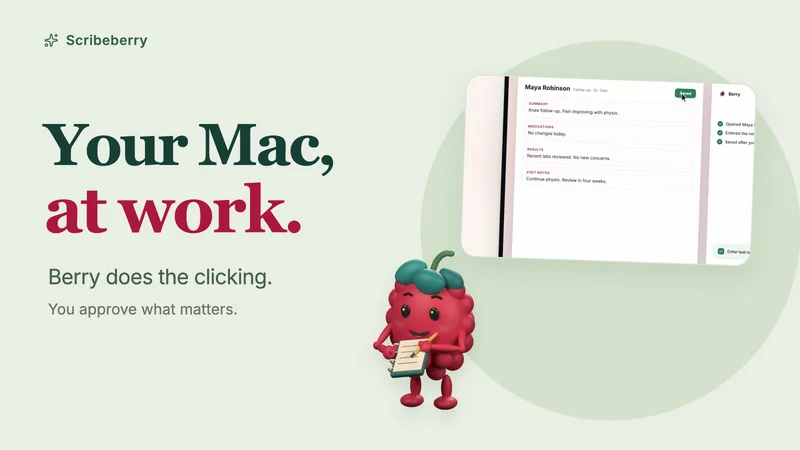
Computer Use Agents in Healthcare: The AI That Works Your EMR Like a Person
Computer use agents read screens and click like a person. What they can do in a clinic, where the risks are, and how Scribeberry Computer keeps you in control.
-
Product
New release: Global EMR integrations
That's right! Today Scribeberry users can integrate with any web-based EMR. With a single click, Scribeberry can AI scribe, pull or push notes and data from…