

EMR Integration
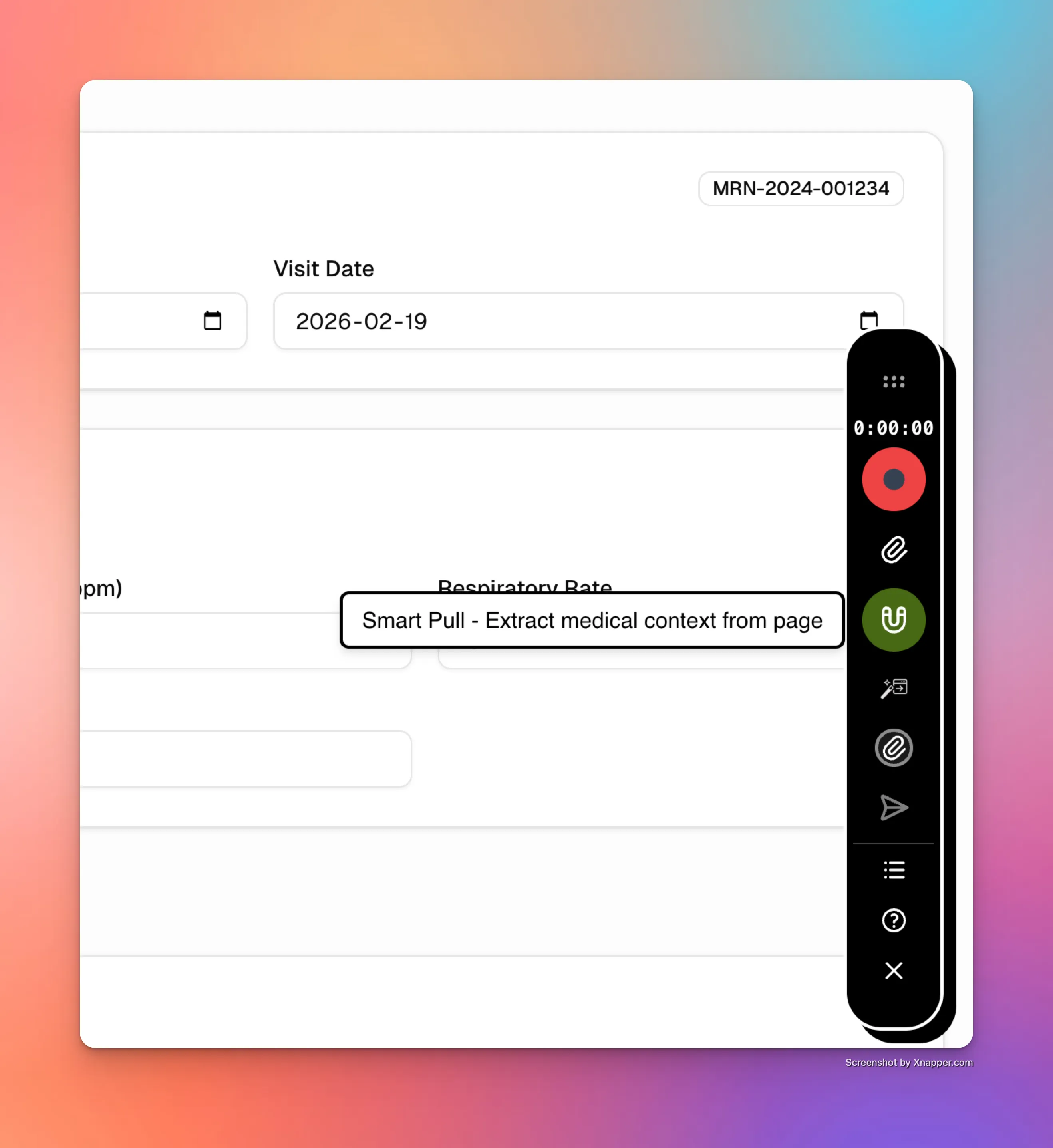
Smart Pull
Scribeberry Smart Pull brings key chart context into your documentation workflow so clinicians start with better information and less clicking.
What does Smart Pull do for EMR workflows?
Smart Pull retrieves relevant patient context from your EMR and surfaces it inside the documentation flow. This helps clinicians chart faster and reduces context switching between systems.
How does Smart Pull fit into your workflow?
Clinicians select a patient encounter, trigger Smart Pull, review imported context, and continue documentation with better baseline information.
- Open the encounter and select the patient context source.
- Run Smart Pull to import relevant EMR data into workflow.
- Review imported details before generating documentation.
- Complete charting with richer context and fewer manual lookups.
When should teams use Smart Pull?
Smart Pull is ideal when teams want fewer clicks and better data availability during high-volume clinic workflows.
- Clinics needing quick access to prior chart context.
- Workflows where manual copy-and-paste slows documentation.
- Teams improving consistency by starting from EMR-backed data.
Frequently asked questions about Smart Pull
These FAQs cover practical usage of Smart Pull in day-to-day charting.
It imports relevant encounter context to support faster, more informed documentation workflows.
No. Clinicians still review imported context and finalize all chart content.
Teams with high patient volume and repetitive chart context retrieval benefit most.
Ready to use Smart Pull in your clinic?
Scribeberry helps teams reduce EMR friction with practical documentation workflows from start to chart completion.
More EMR integration

