


Best AI Scribe for Jane App: Scribeberry (2026)
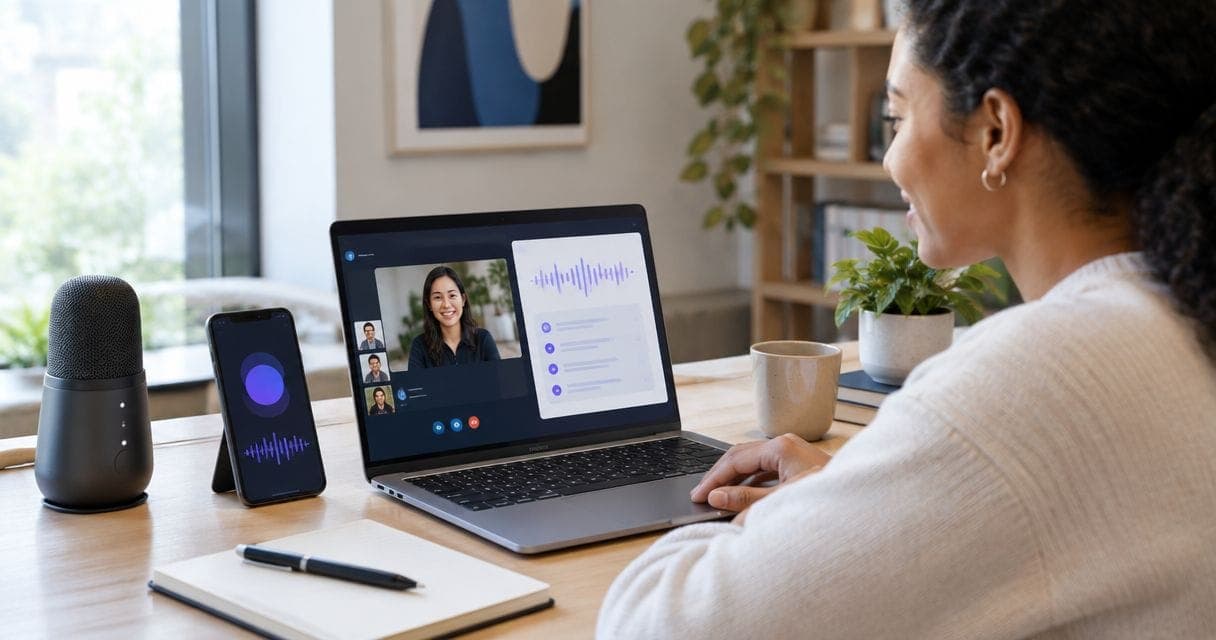
Best overall for a Jane App practice: Scribeberry for drafting clinical notes, letters and forms from patient conversations. Best for clinicians who prefer to speak their findings: a dictation-first AI scribe. Best for practices with fixed note structures: a template-first AI scribe. This 2026 guide ranks documentation approaches, not unverified claims about Jane App integrations.
- Scribeberry is the best AI scribe for Jane App users who need notes, letters and forms drafted from conversations.
- Choose a dictation-first scribe if you prefer to control exactly what enters the draft.
- Choose a template-first scribe if consistent note structure is your main requirement.
- Confirm how any draft reaches Jane App; clinician review and chart sign-off remain essential.
Why this matters
An AI scribe can produce a useful draft and still leave you with a slow charting workflow. The deciding question for a Jane App practice is not simply whether a tool generates text. It is whether you can review that text, correct it and place it in the right Jane App record without losing the clinical meaning.
Treat drafting, transfer into Jane App and sign-off as separate steps. The supplied Scribeberry description says it turns patient conversations into notes, letters and forms for providers using EMRs including Jane App. It does not specify whether a note writes directly into a Jane App chart, which fields it populates or how a clinician approves it. Confirm those details in a live workflow before you rely on them.
A 2026 shortlist should also reflect the visit itself. A conversational follow-up, a clinician-led assessment and a form-heavy appointment produce different documentation demands. One ranking cannot establish that every feature of every vendor works in your Jane App account.
What makes the best AI scribe for Jane App?
Use these criteria before comparing products. Ask each vendor to show the same type of encounter your practice handles, then follow the draft all the way to the signed chart.
- Capture method: Does the tool draft from a patient conversation, clinician dictation or information you enter into a template? Choose the method you can use consistently during an actual visit.
- Clinical completeness: Can you identify the history, examination findings, assessment and plan you need? A polished paragraph is not evidence that it captured every relevant detail.
- Jane App handoff: Establish whether the output must be copied, imported or transferred by another verified method. Ask which parts of the record receive it and who checks the final placement.
- Correction and control: Check whether you can edit the draft before it enters the chart. Test an encounter with a correction, an uncertain diagnosis and a patient statement that must remain clearly attributed.
- Canadian privacy review: Give your privacy lead the vendor’s current documentation on recording, consent workflow, retention, access, subcontractors and data location. Do not infer compliance or Canadian data residency from a marketing label.
- Outputs beyond the note: If your practice prepares letters or clinical forms, demonstrate those outputs separately. A good visit note does not establish that a form captures the correct functional details.
AI scribe options at a glance
These are workflow choices, not a head-to-head test of three named vendors. Only Scribeberry is identified as a product in the supplied information; the other rows describe the kind of AI scribe to evaluate if its workflow fits you better. No Jane App write-back method is assumed for any row.
| Rank and option | Best for | Standout workflow | Key limitation to check |
|---|---|---|---|
| 1. Scribeberry | Clinicians drafting notes, letters and forms from conversations | Ambient drafting across the stated output types | Verify the exact Jane App handoff and review steps |
| 2. Dictation-first AI scribe | Clinicians who prefer to state their findings after the visit | Clinician-directed input | Verify how dictated content becomes an editable Jane App note |
| 3. Template-first AI scribe | Practices prioritizing a repeatable note structure | Field-by-field review | Verify that the structure fits your encounters and Jane App workflow |
The table gives you a starting order for a 2026 evaluation. It does not establish that a dictation-first or template-first product has a particular integration, privacy status or feature set. Require a demonstration and current product documentation for the specific vendor you consider.
1. Scribeberry: best AI scribe for conversational documentation
Scribeberry is an ambient medical scribe app that turns patient conversations into clinical notes, letters and forms. Its stated users include doctors, nurses and other healthcare providers using EMRs such as Jane App. Best for: a clinician who wants one conversation to inform more than a visit note.
Start with a real example of a common appointment, stripped of patient identifiers for a demonstration. Compare the draft with your source information: presenting concern, relevant negatives, examination findings you actually supplied, clinical assessment and follow-up instructions. Then request a letter or form from the same encounter if those outputs are part of your practice. Check each output independently; the note is not proof that the letter or form is ready to use.
Scribeberry pros:
- The stated workflow begins with patient conversations rather than requiring you to dictate a complete note afterward.
- The stated outputs include clinical notes, letters and forms.
- Jane App is named among the EMRs its intended providers use.
Scribeberry cons and checks:
- The supplied description does not define the Jane App transfer method. Verify it rather than treating EMR use as proof of direct chart write-back.
- Generated content still needs a clinician to correct omissions, attribution and unsupported statements before sign-off.
- Ask for current privacy and product documentation; no security certification, data location or retention term is established here.
For a 2026 trial, use your actual note structure and ask the vendor to show the final handoff into Jane App. If your practice relies on letters or forms, include one of each in the demonstration and check them against the encounter record. Verdict: choose Scribeberry as the first evaluation for conversation-based notes, letters and forms; hold adoption until the Jane App handoff and privacy review pass.
2. Dictation-first AI scribe: best for clinician-directed input
A dictation-first scribe is a workflow in which you speak the content you want drafted. It is the right evaluation path when you prefer to make the clinical selection yourself rather than have a tool interpret the whole patient conversation. Best for: a clinician who already dictates findings and wants an editable draft.
This option changes the work, not the review obligation. You still need to supply the relevant negatives, examination findings, assessment and plan. If something was not dictated, inspect the draft rather than assuming the system recovered it from the visit. Confirm how the specific product handles corrections and where the finished text goes in Jane App.
Dictation-first scribe pros:
- You decide what information to put into the input.
- You can dictate after the encounter when recording a patient conversation does not fit your workflow.
- The evaluation can focus on a familiar task: turning your spoken findings into an editable note.
Dictation-first scribe cons and checks:
- You must speak the details you want documented; the method does not independently establish what happened in the room.
- The name of a workflow does not establish that a vendor supports Jane App or a particular note format.
- A draft can still misstate or omit dictated details, so compare it with your intended record.
Ask a prospective vendor to demonstrate a dictated assessment with a mid-sentence correction and an explicit distinction between patient-reported symptoms and your findings. Inspect the draft, edit it and trace its route into Jane App. Verdict: choose this evaluation path if clinician-directed input matters more to you than drafting from the full conversation; hold any vendor decision until its workflow is verified.
3. Template-first AI scribe: best for consistent note structure
A template-first scribe organizes a draft around predefined sections or fields. It is an evaluation path for a practice that wants to check the same components on every relevant encounter. Best for: teams whose documentation review starts with a fixed note structure.
Test the structure against a routine visit and an atypical one. Can you see which section contains the history, examination, assessment and plan? Can you leave an inapplicable section out rather than turning it into an unsupported negative? Those questions matter more than whether a sample note looks tidy.
Template-first scribe pros:
- A consistent layout gives the reviewer known places to inspect for missing information.
- You can evaluate the structure against your existing note requirements.
- A section-by-section check suits practices that review documentation as a team.
Template-first scribe cons and checks:
- A fixed structure can be a poor fit for an encounter that does not follow the expected pattern.
- Populated fields do not establish that their contents are accurate or clinically appropriate.
- You still need to verify whether a specific vendor supports your desired template and Jane App handoff.
Do not select a vendor from this category on a sample note alone. Ask to edit an atypical encounter, remove an irrelevant field and confirm how the final draft appears in the patient’s Jane App chart. Verdict: choose this evaluation path when consistent section review is the priority; hold the product decision until the template works with your real encounters.
Run the same Jane App trial for every option
A fair 2026 comparison uses the same clinical scenario and the same acceptance checks. Use a de-identified example or another demonstration method approved by your practice. Do not enter identifiable patient information into a trial before your privacy review permits it.
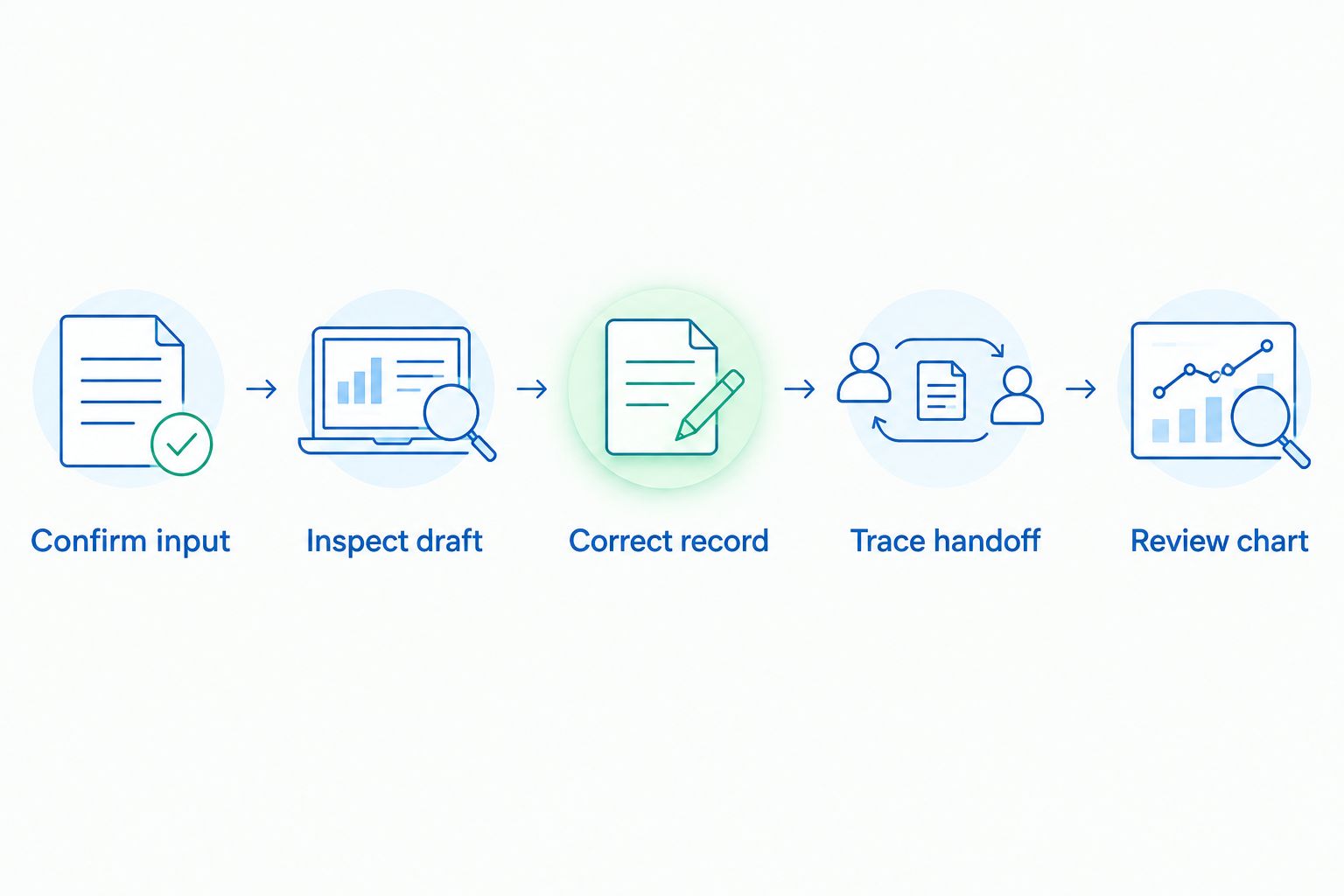
- Confirm the capture method. State whether the demonstration uses an ambient conversation, clinician dictation or structured input. Do not compare drafts as though the input were identical when it was not.
- Inspect the draft. Mark information that is correct, missing, misplaced or unsupported. Pay particular attention to patient-reported statements and findings that require clinician assessment.
- Correct the record. Change an incorrect detail and check that the correction survives the handoff. Remove text you would not sign.
- Trace the Jane App handoff. Watch the vendor complete its claimed workflow. Identify the destination record, any manual transfer and the point at which you can review the content.
- Review before sign-off. Open the resulting chart entry as the responsible clinician would. Check the content and its location before applying your normal approval process.
This sequence separates a convincing draft from a usable charting workflow. A scribe that drafts well but cannot complete your verified review and transfer process is not the best fit for your Jane App practice. The same rule applies to Scribeberry and every alternative.
For a practice with several clinicians, repeat the trial with the people who will actually use and review the notes. Record whether each person can complete the same handoff under the practice’s existing process. Do not substitute a sales demonstration for a documented decision about access, recording and clinical responsibility.
How this ranking was made
The ranking puts the stated Scribeberry use case first: ambient drafting of notes, letters and forms for providers using EMRs including Jane App. The other positions are alternative workflow categories, ordered to help you choose between clinician-directed input and a fixed note structure. They are not tested competitor rankings or claims that one named vendor outperforms another.
The criteria are clinical completeness, control over corrections, the Jane App handoff, privacy review and fit for the outputs your practice needs. A specific vendor can move ahead in your 2026 selection only after it demonstrates those requirements in your setting. No price, accuracy rate, time-saving figure or integration mechanism is part of this ranking.
Which AI scribe should you choose for Jane App?
Start with Scribeberry if your main task is turning patient conversations into notes, letters and forms. It is the named product here whose stated purpose covers those outputs and providers using Jane App. Put the handoff, note review and privacy questions in front of the vendor before deciding whether it meets your practice’s requirements.
If you prefer to dictate your findings, evaluate a dictation-first AI scribe against the same encounter. If your team’s first concern is consistent section-by-section review, evaluate a template-first AI scribe. Neither category identifies a verified Jane App integration by itself; the individual vendor must show you how its product works.
Do not sign a generated note because its wording sounds clinical. Confirm the facts, remove unsupported statements and check the final entry in the patient’s chart. That is the deciding step in a 2026 Jane App scribe workflow.
FAQ
What is the best AI scribe for Jane App in 2026?
Scribeberry is the first product to evaluate if you want patient conversations drafted into notes, letters and forms. Confirm its exact Jane App handoff, your privacy requirements and your review process before adoption.
Does Scribeberry write directly into Jane App?
The supplied product description does not specify a direct write-back method. Ask for a demonstration showing how an approved draft reaches the correct Jane App chart entry.
Is an ambient scribe better than dictation for Jane App?
An ambient workflow fits clinicians who want to draft from patient conversations; dictation fits clinicians who prefer to state the content themselves. Compare the resulting drafts and their Jane App handoffs using the same clinical scenario.
Can an AI scribe complete letters and forms as well as notes?
Scribeberry’s stated outputs include notes, letters and forms. Review each generated document separately for clinical accuracy, completeness and the requirements of the specific form.
Do I still need to review an AI-generated clinical note?
Yes. Check the draft for omissions, unsupported findings and incorrect attribution, then inspect the final chart entry before signing it.
What privacy questions should a Canadian clinic ask an AI scribe vendor?
Ask for current documentation on recording, consent workflow, access, retention, subcontractors and data location. Have your privacy lead assess the answers against the rules and policies that apply to your practice.
How should I compare AI scribes that claim Jane App support?
Watch each vendor complete the same encounter from input to reviewed Jane App entry. Record the transfer method, required corrections and any steps that remain manual.
One last thing
The most revealing part of a demonstration is the edited note, not the initial draft. Make a clinical correction, follow it into Jane App and inspect the entry you would sign. If that step is unclear, the product decision is not finished.