


Meet your AI receptionist: Scribeberry front-office agents


In this article 6 sections
Quick answer
Scribeberry's AI receptionist is a Front-Office Staff agent you build inside Scribeberry. It gets its own phone number and web link, answers and places patient calls, works by text and web chat, collects intake history and completed forms before the visit, and returns everything as a draft in your Scribes list for staff review. Clinics configure its questions, clinic knowledge, languages and escalation rules; nothing enters the chart without human approval.
The phone does not stop ringing when clinic ends. It rings at lunch, it rings at 6 p.m., and the new patient who gets voicemail twice often does not call a third time. Meanwhile your front desk is checking in the morning rush while tomorrow’s intake forms sit unfinished.
That queue, repetitive, time-sensitive, and mostly after hours, is what Scribeberry’s AI receptionist is built to work.
What the AI receptionist actually is
The AI receptionist is a Front-Office Staff agent you build inside Scribeberry, alongside the History Taker and Form Filler agents. When you deploy it, Scribeberry assigns it a phone number and a shareable web link. Patients can:
- Call it, the way they would call your front desk
- Receive a call from it, scheduled automatically from your EMR calendar
- Text or web-chat with it, from a secure link
- Scan a QR code in your waiting room and complete intake on their own phone
It asks branching questions you configure, in English, French and 40+ supported languages. When the conversation ends, your team does not get a voicemail or a message slip. You get a draft in your Scribes list: a history summary in your template, a completed intake form, or both, ready for staff to review, edit and approve.
That review step is the whole design. Nothing the receptionist collects becomes part of the record on its own, and anything urgent or unclear follows the escalation rules you set when you build the agent.
The jobs clinics hand it first
New-patient intake, the evening before. Schedule the receptionist to call tomorrow’s new patients from your EMR calendar. By morning, histories, medications, allergies and forms are sitting in the scribe list instead of being collected at check-in while the waiting room fills.
After-hours and overflow calls. Patients reach an agent that can actually complete intake, not a mailbox. Staff start the day reviewing finished work instead of returning calls.
Form completion before the visit. The same agent can walk patients through disability, insurance and clinic forms ahead of the appointment, so the visit itself is not spent on paperwork. Completed forms return as drafts for staff to check.
Walk-in intake by QR code. Put the code at reception. Patients start intake on their own phones while they wait, and the summary is ready when they are called in.
Recall and follow-up outreach. Patients due for updated histories or pre-procedure intake get a scheduled call; staff get the returned draft, not another phone tag thread.
How it fits the rest of Scribeberry
The receptionist is not a separate system bolted onto your phones. It lives in the same Scribeberry workflow as your notes:
- Intake it collects can feed the visit note you draft with the scribe, in the same template your clinic already uses
- With Berry, Scribeberry’s clinical agent, pre-charting and follow-up tasks connect to the same day you are preparing
- Notes and forms move into your EMR through the connection you already use, Accuro’s marketplace API, Chrome extension Smart Pull/Push for web EMRs like OSCAR Pro, Jane and TELUS CHR, or the desktop app for installed EMRs. See how Scribeberry works with your EMR for your system.
Privacy follows the same rules as the rest of the platform: published HIPAA and PIPEDA compliance documentation, Canadian data storage for Canadian clinics, configurable retention, and no patient data used for AI training. The security page has the documents your privacy officer will ask for.
Set up your first receptionist
- In Scribeberry, open the Agents tab and create a Front-Office Staff agent.
- Write its opening statement and give it your clinic knowledge: hours, providers, directions, and the questions intake must always ask.
- Set escalation rules, which symptoms, requests or confusions go straight to staff, and how.
- Pick the output: a history summary, a completed form, or both, in your template.
- Deploy to get its phone number and link. Add the QR code at reception if you want walk-in intake.
- For the first week, read every draft it returns. Tune questions where patients hesitate. Then extend its hours and let it call the evening-before list.
Start with one job. New-patient intake is the usual first win because the before picture is so visible: an unfinished form at check-in becomes a reviewed draft waiting in the morning.
Try it
The AI receptionist is available in Scribeberry now. Start a free trial, build a Front-Office Staff agent for one intake job, and let it work tonight’s call list. Your front desk will tell you in a week whether it earned the second job.
For the full feature walkthrough, see the AI receptionist feature page, and for the clinical-agent side of the platform, read how doctors use Berry.
Frequently asked questions
What is an AI receptionist for a medical clinic?
It is a patient-facing voice and chat agent that handles front-desk conversations: answering calls, taking intake history and completing forms. In Scribeberry you build it as a Front-Office Staff agent with your clinic's questions, knowledge and templates, and it returns drafts to staff for review instead of just taking messages.
Can the AI receptionist call patients, or only answer calls?
Both. It receives calls on its assigned Scribeberry number, can be sent to patients as a secure link or walk-in QR code, and can place scheduled outbound calls automatically from your EMR calendar, for example, calling new patients the evening before their first visit.
Does AI receptionist output go into the chart automatically?
No. Intake summaries and completed forms arrive in the Scribes list as drafts. Staff review, edit and approve them before they are used in a note or filed, and patients' conversations follow the privacy practices on Scribeberry's security page.
What should a clinic automate first with an AI receptionist?
New-patient intake is the usual first job: one agent, one template, after-hours and evening-before calls. Review its drafts for a week, tune the questions and escalation rules, then add form completion, recall outreach and walk-in QR intake.
Sources

More on topic
-
Workflows
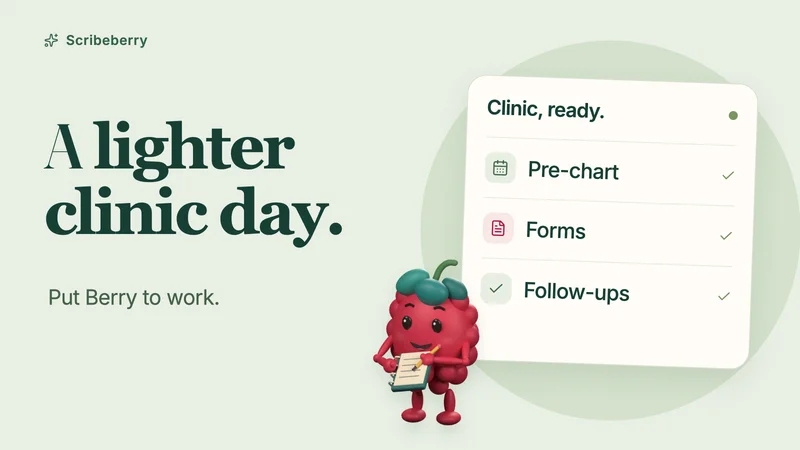
How doctors use Berry, Scribeberry’s healthcare agent
See how doctors put Berry to work: pre-charting, forms, referral faxes, patient follow-ups and Enterprise calendar tools, with iPhone and iPad demos.
-
Comparisons
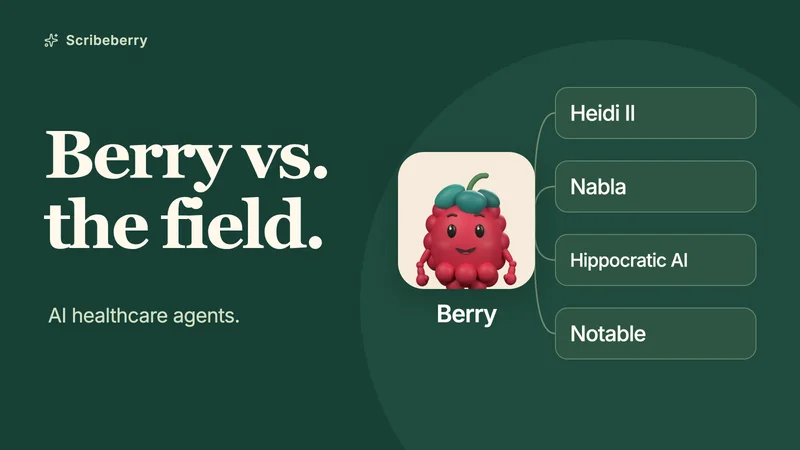
Berry vs. other AI healthcare agents: a clinician’s guide
Compare Berry’s clinical agents, connectors, scheduled tasks and patient intakes with Heidi II, Nabla, Hippocratic AI and Notable, with product demos.
-
Product
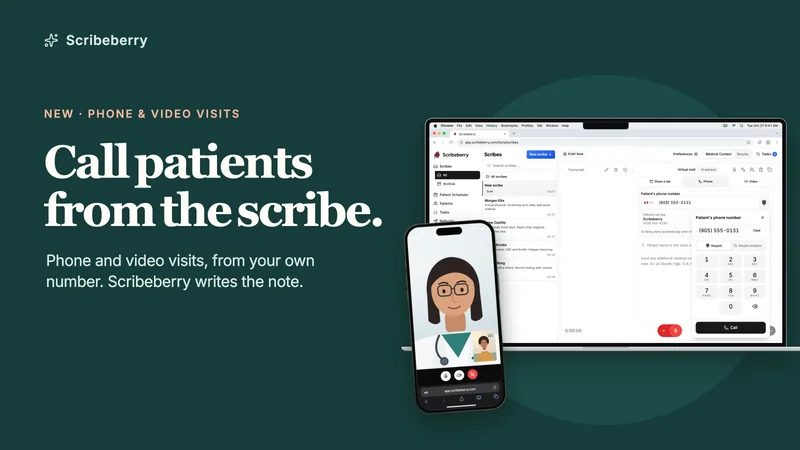
Phone and video visits in Scribeberry: call patients from the scribe, with your own number
Phone and video visits are available now for Scribeberry Pro users. Call from the web or mobile app, show your clinic’s number, and generate the note.