Meet Berry: Scribeberry’s Agent
 The Scribeberry Team 3 min read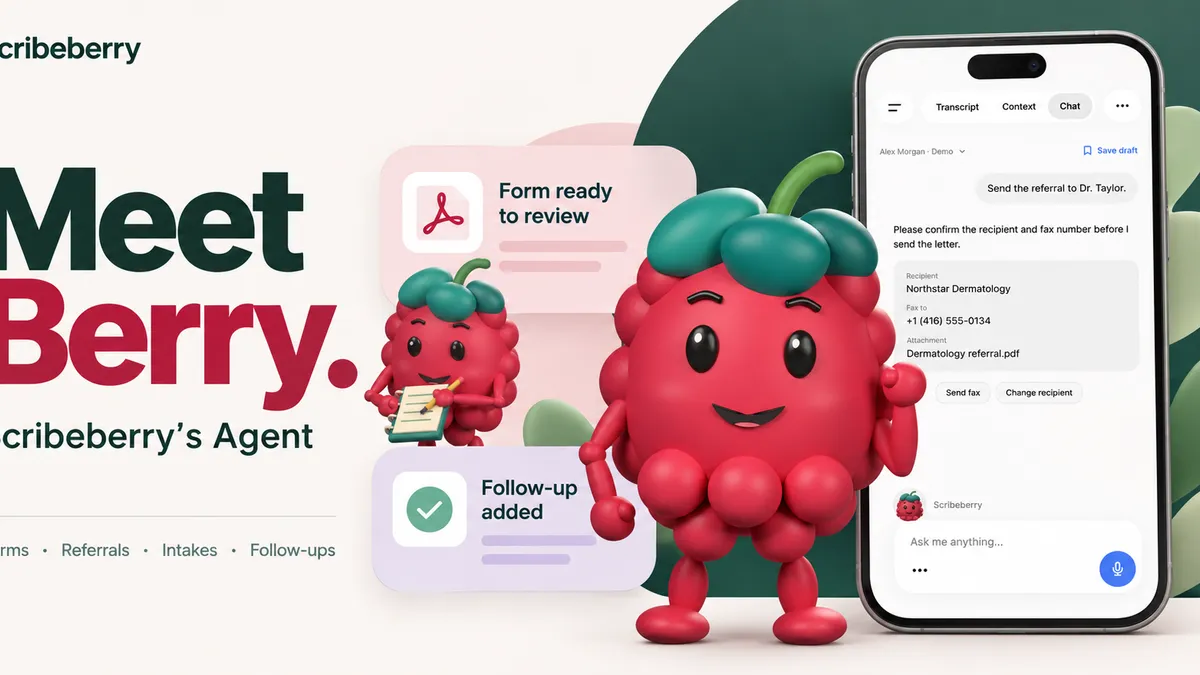
Quick answer
Berry is Scribeberry’s agent. It uses the clinical context you already gathered to pre-chart the day, prepare forms, send referrals and intakes, and add follow-up tasks, with your review and approval.
We started Scribeberry in Canada with a goal that still drives us: give doctors, nurses and other healthcare professionals more time for care.
Since then, we’ve kept asking how much more of the work we could take off their hands.
Meet Berry, Scribeberry’s Agent. Berry is the agentic layer built into Scribeberry. It uses the clinical context you’ve already gathered to carry out the tasks and workflows around a patient visit, with your review and approval.
Put the context of care to work
A visit sets a lot of work in motion. The referral needs the right history and destination. A disability form needs details from the encounter. A follow-up needs a date and somewhere to live until it is done.
Berry starts with your notes, patient details and request, then brings together the tools needed to take the next step. The form library, the fax workflow, the intake link and the task list are available from the conversation.
For Scribeberry, this expands the work of an AI medical scribe into the clinical workflows surrounding the encounter.
Prepare for the day ahead
“Pre-chart tomorrow for me.”
A simple message gives Berry a job before the day begins. The pre-charting workflow prepares a summary for each appointment and an overview of the day, bringing the relevant patient context together for review.
You can also ask Berry to find evidence for a patient you’ve just seen, keeping the question close to the clinical context that prompted it.
The form, ready for review.
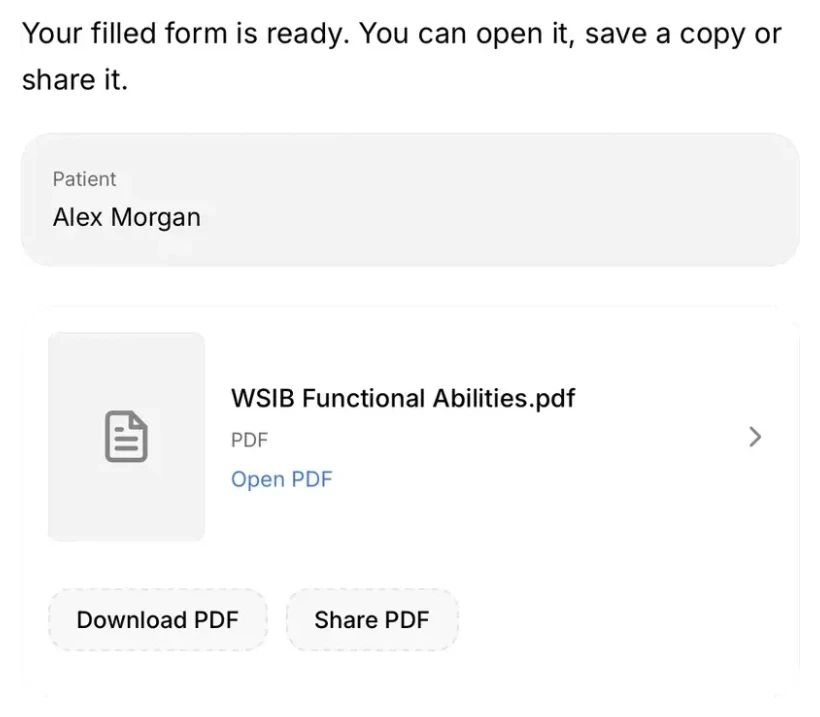
“Fill the WSIB form from this visit.”
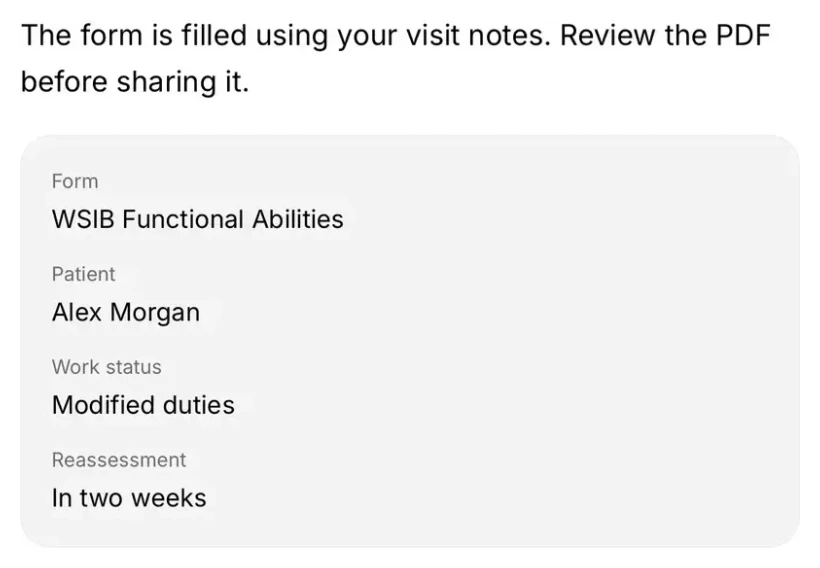
Berry finds the form in your library, fills the fields using the encounter’s notes and context, and prepares a PDF. Open it, review it, then save or share a copy from the conversation. The landing-page demo also shows Berry preparing the medical section of a DTC form.
Fill a form01
The form. Already filled.
“Fill the WSIB form from this visit.”
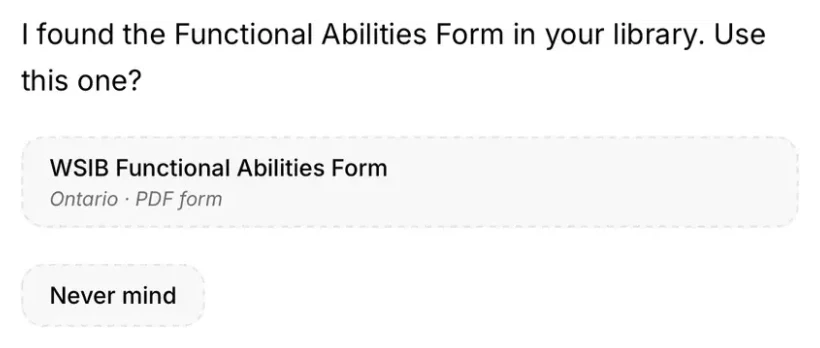
Form found
Carry the referral through.
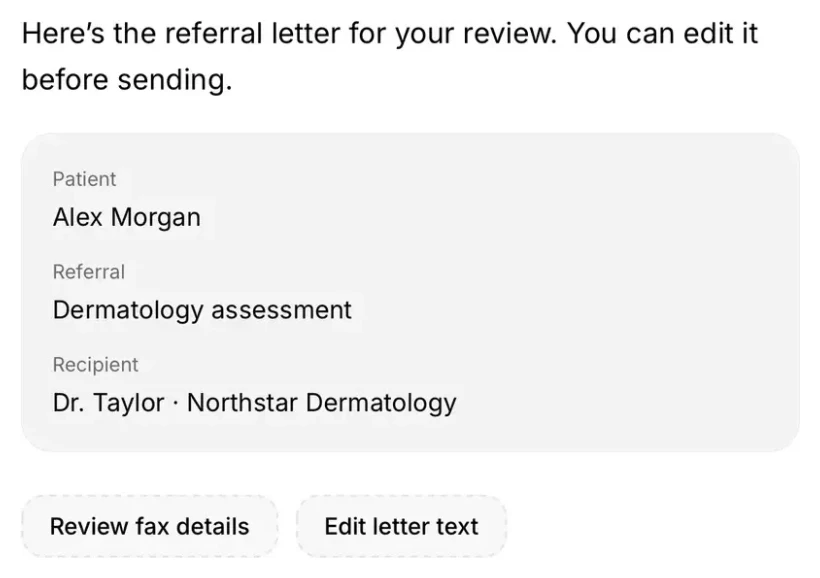
“Refer Alex to dermatology.”
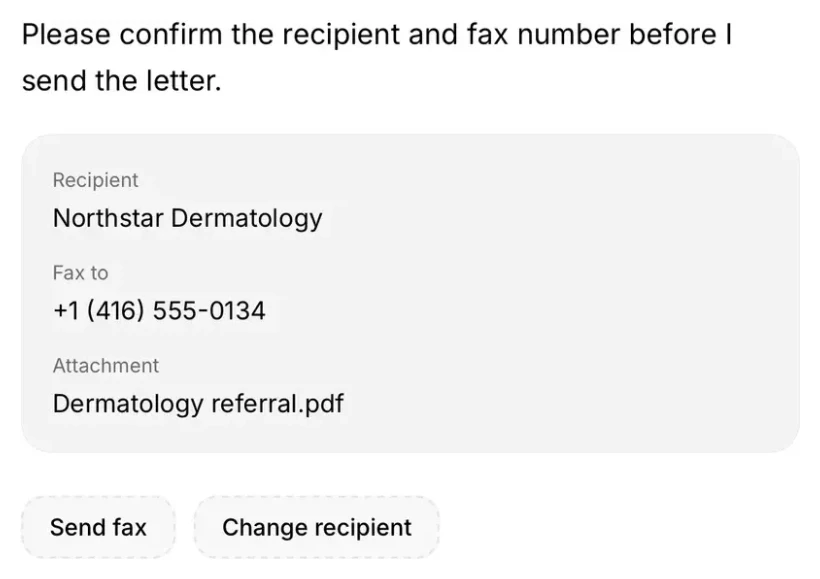
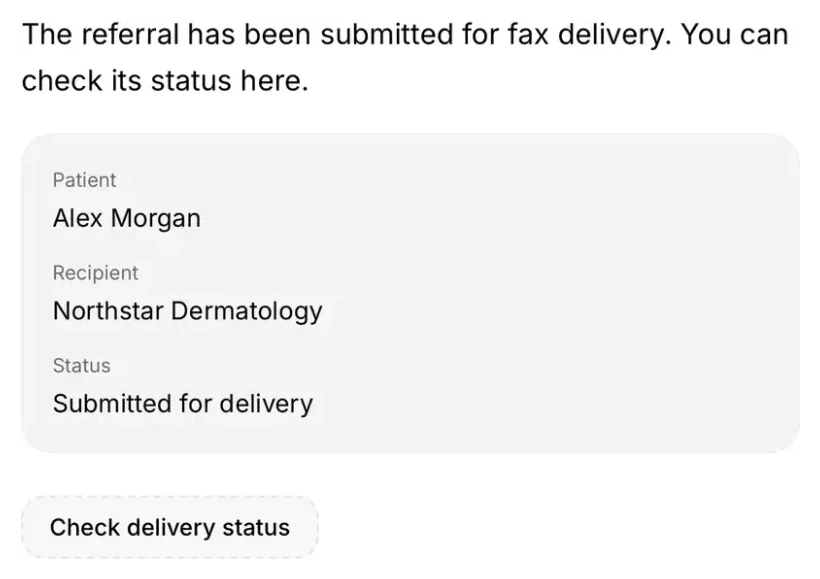
Berry drafts the letter from the encounter. You can review and edit it, then check the recipient, fax number and attachment together. Once you confirm, Berry submits the fax. You can check delivery status from the referral.
Send a referral02
The referral. On its way.
“Refer Alex to dermatology.”
Letter ready to review
Give the next visit a head start.
“Text Alex a new-patient intake.”
Choose the intake workflow and confirm the patient’s contact details. You can switch between text and email. After approval, Berry sends the secure link and lets you check its status.
Send an intake03
The intake. Sent by text.
“Text Alex a new-patient intake.”
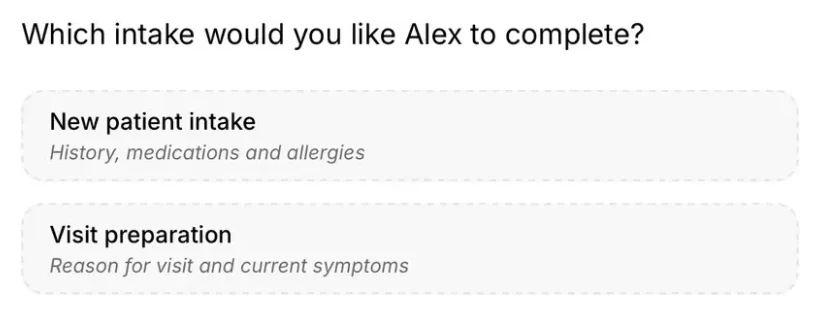
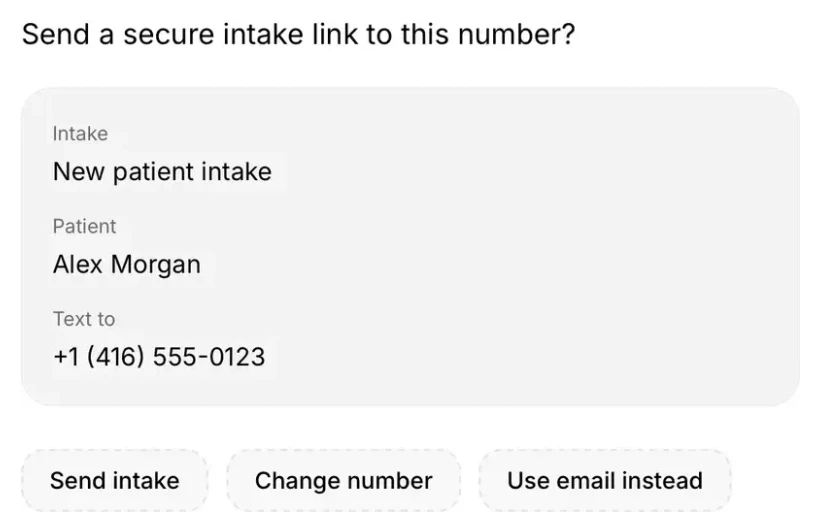
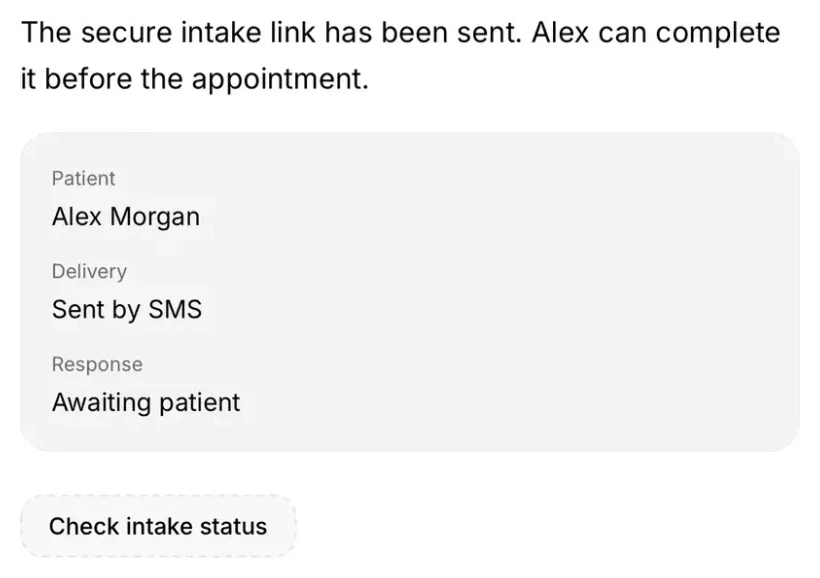
Intake selected
Keep the follow-up with the patient.
“Remind me to check Alex’s results in two weeks.”
Berry prepares the follow-up task with its due date, priority and encounter attached. Review the details and confirm to add it to your list. The patient context stays with the task when you return to complete it.
Add a follow-up04
The follow‑up. Remembered.
“Remind me to check Alex’s results in two weeks.”
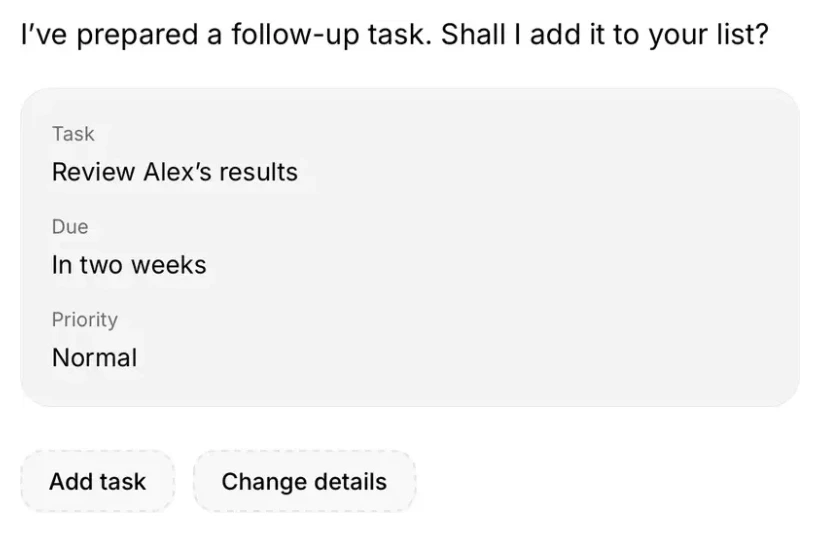
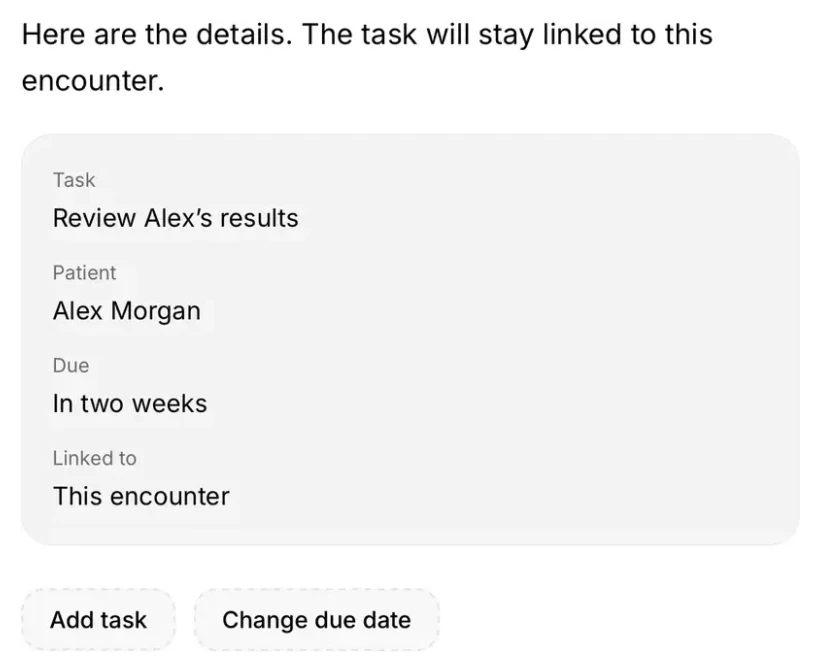
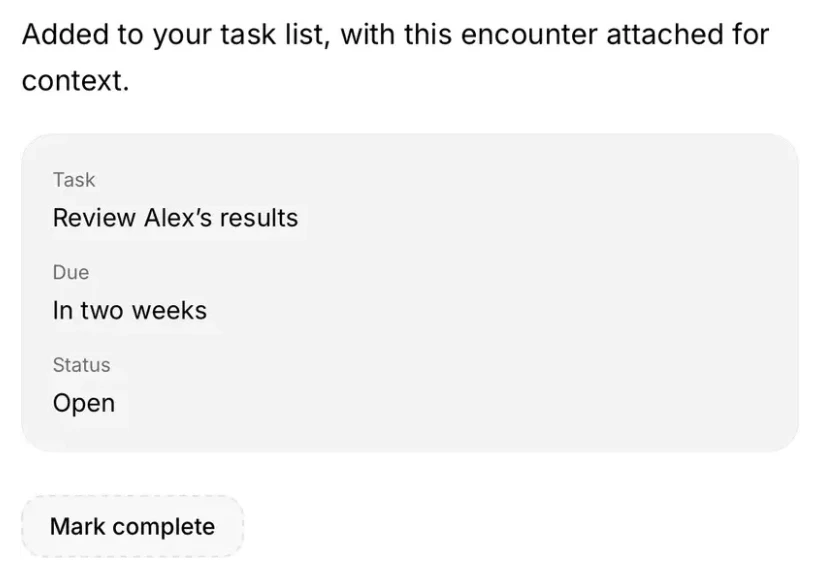
Task prepared
App previews use the same native Scribeberry interface as scribeberry.com/berry, with fictional patient information.
Your email, calendar and files, connected
Clinical work also runs through the tools outside the chart. Berry’s connectors bring your email, calendar and files into the conversation.
Find a colleague’s call schedule. Block Friday afternoon for charting. Pull up your clinic’s after-hours protocol.
You choose what to connect. Berry asks before it sends, schedules or shares.
Connectors
Your apps. Connected.
-
 “Find Dr. Chen’s call schedule.”
-
 “Block Friday afternoon for charting.”
-
 “Pull up our after-hours protocol.”






Your judgment directs the work
A filled form needs a clinician’s review. A referral needs the correct recipient. An intake needs the right patient and contact details. Those checks are part of Berry’s workflows.
You can edit the referral letter, change its recipient or review a proposed task before confirming. You review the work and approve the actions. Clinical judgment stays with you.
Built in Canada. For the work you do every day.
We’re proud of our Canadian roots and excited about how much further we can take Scribeberry. Berry is the next step in that work.

Since 2023.
Our hope for Berry is simple: fewer hours at the computer, more attention for your patients, and more of your day left for you.
 Put Berry to work. More of your day, back. Open the Berry page →
 Frequently asked questions
What is Berry in Scribeberry?
Berry is Scribeberry’s agent. It is the agentic layer built into Scribeberry, and it uses the clinical context you have already gathered to carry out the tasks and workflows around a patient visit.
What can Berry do after a visit?
Berry can pre-chart the next day, fill a form from the encounter, draft and fax a referral, send a new-patient intake, and add a follow-up task. You review the work and approve the actions.
Does Berry act without a clinician’s approval?
No. Berry asks before it sends, schedules or shares. You can edit a referral letter, change its recipient, or review a proposed task before confirming. Clinical judgment stays with you.
Can Berry use email, calendar and files?
Yes. Berry’s connectors bring email, calendar and files into the conversation. You choose what to connect, and Berry asks before it sends, schedules or shares.