


Mobile App ✅, Desktop App ✅


We’re super excited to release both our mobile and desktop applications! For a seamless experience across all your devices, Scribeberry lets you record on the go, transcribe instantly, and enjoy real-time synchronization to keep everything up-to-date and accessible from anywhere. Whether you’re on your phone or computer, Scribeberry is designed to make documentation faster and easier.

Here’s how to get set up:
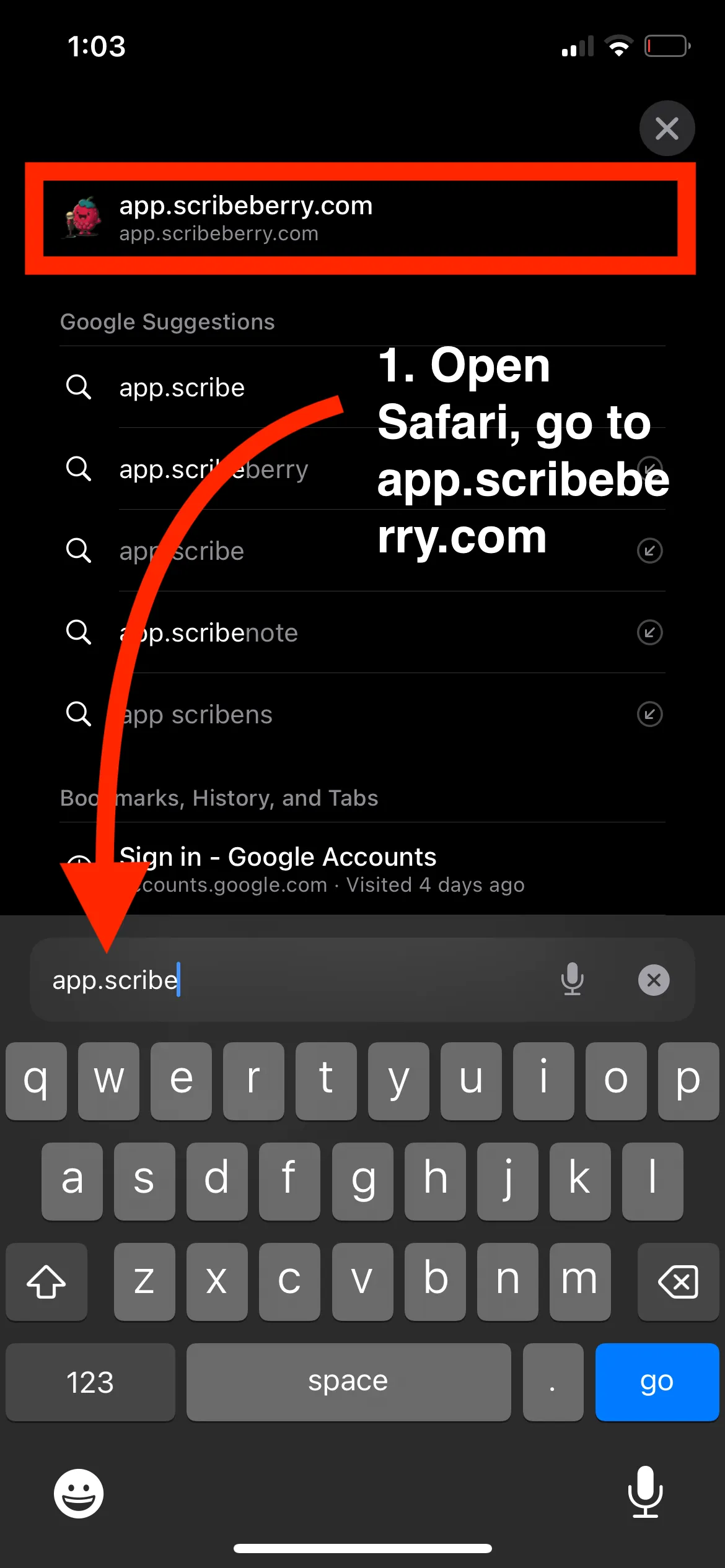
On iPhone (Safari):
- Open Safari and go to app.scribeberry.com.
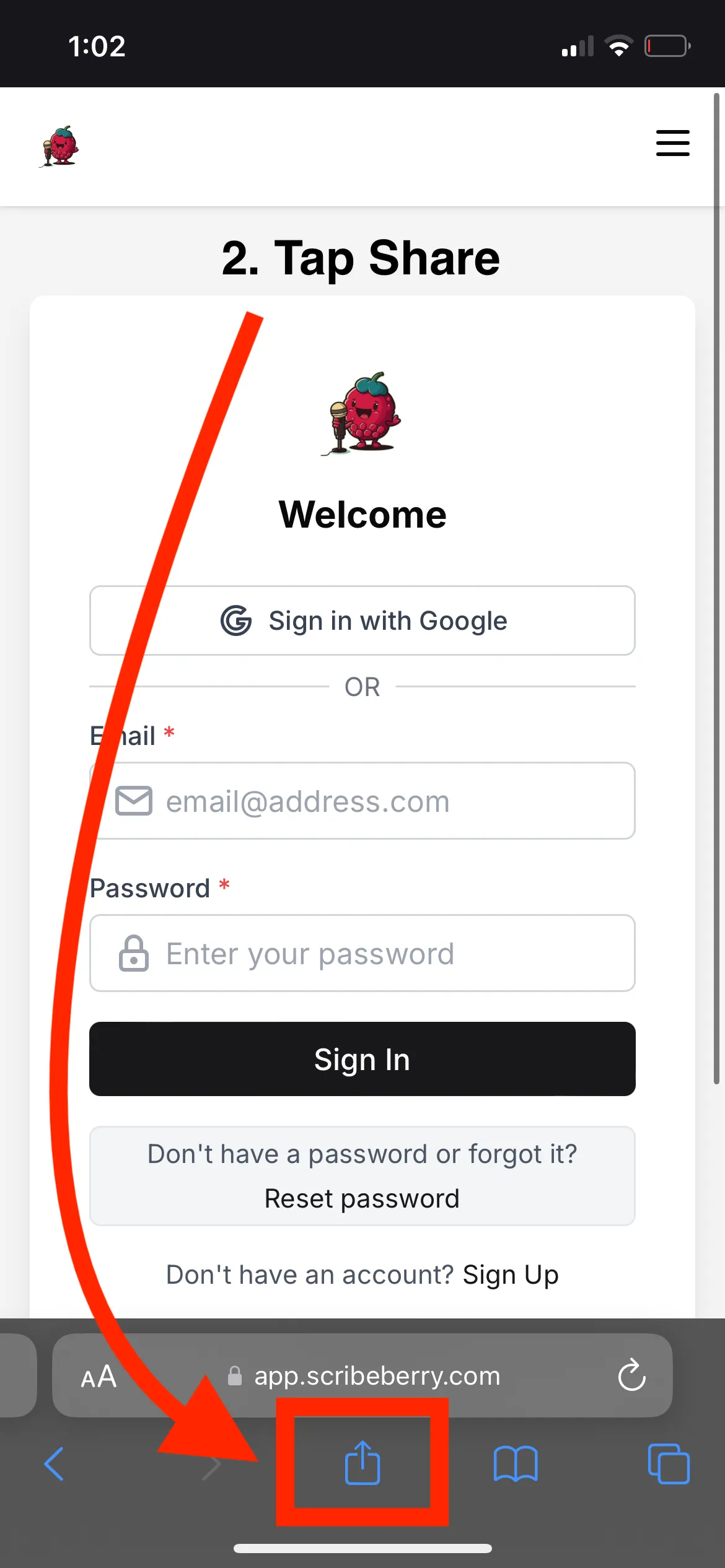
- Tap the share icon at the bottom of the screen.
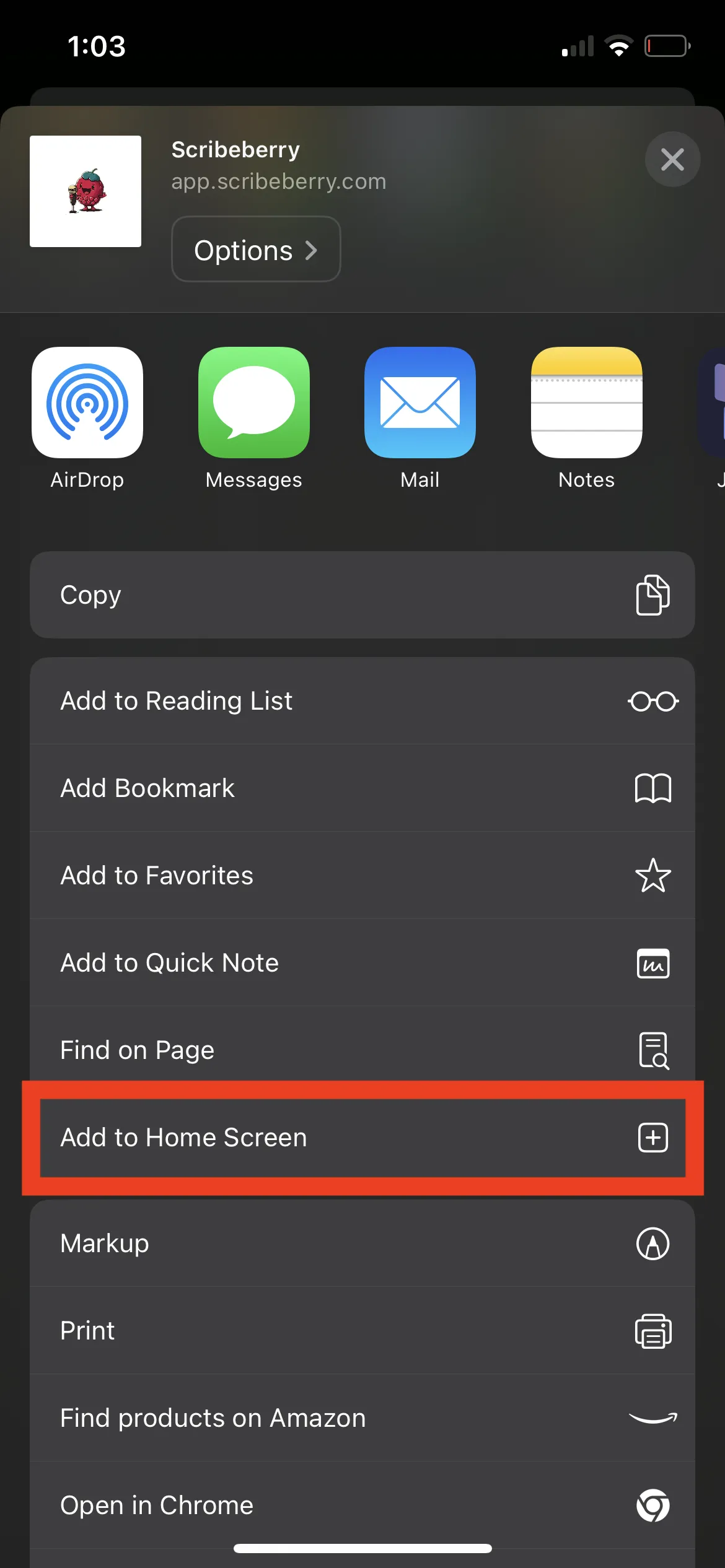
- Scroll down and select “Add to Home Screen.”
- Tap “Add” to place the app on your home screen.
For iPhone (Chrome) use similar steps below.
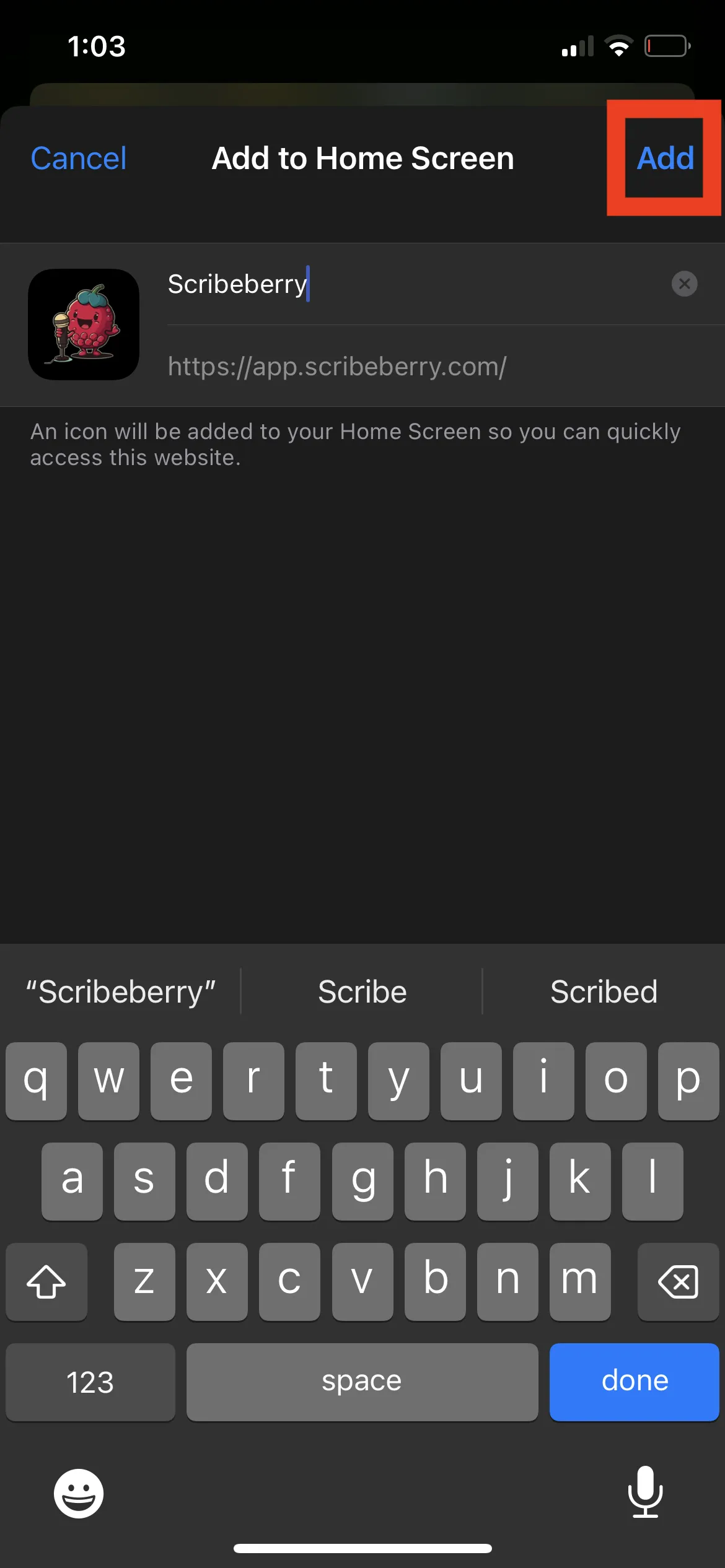
On Android (Chrome):
- Open Chrome and go to app.scribeberry.com.
- Tap on the three dots in the top-right corner to open the menu.
- Select “Add to Home screen.”
- Tap “Install” to add the app to your home screen.
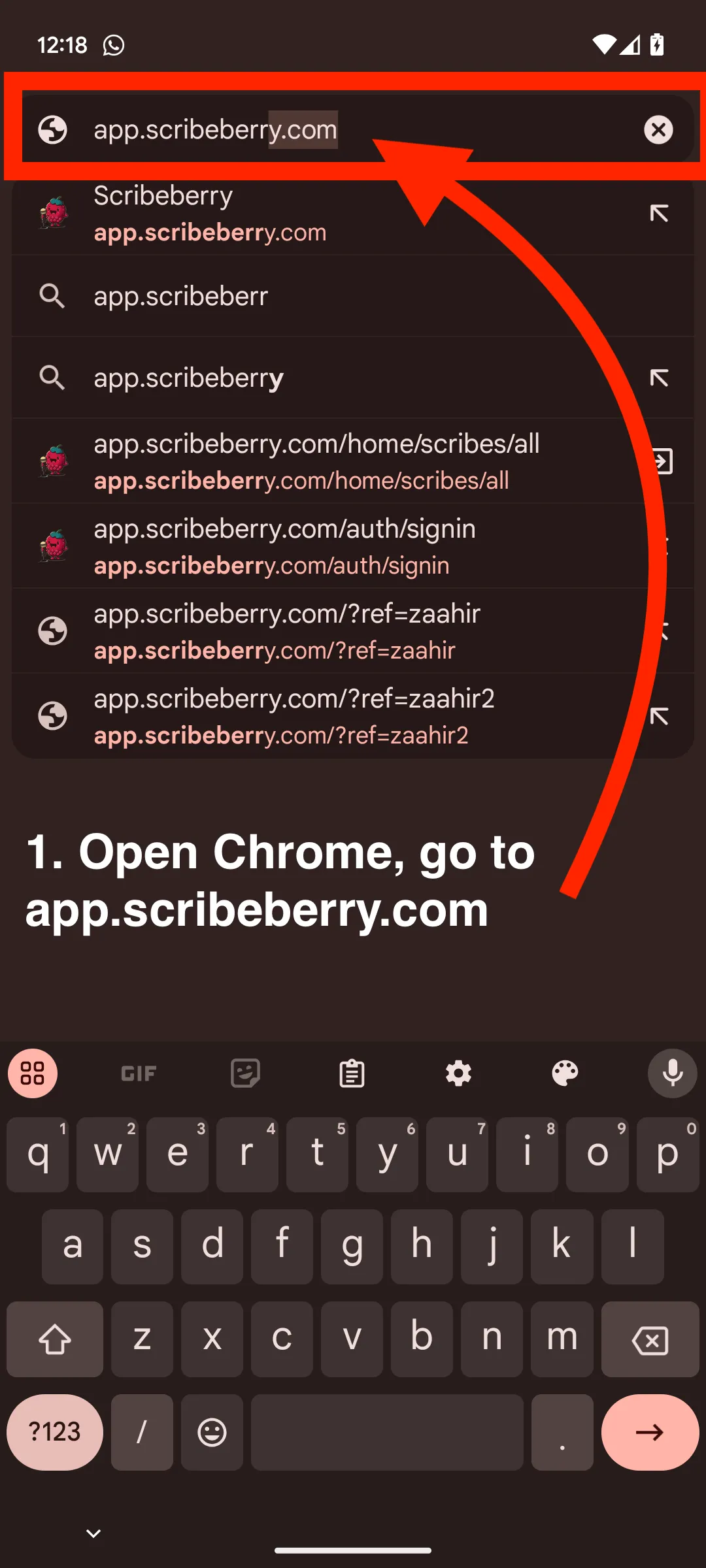
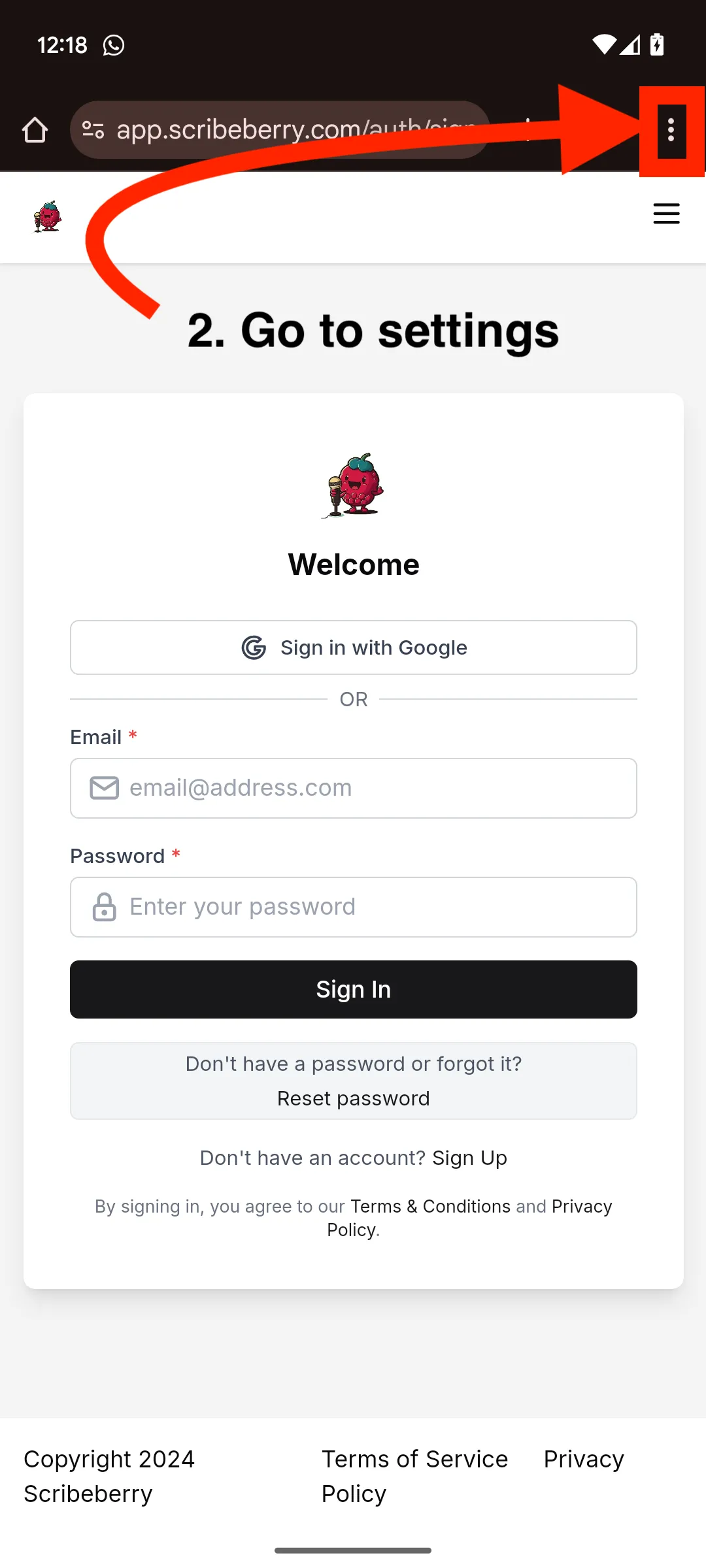
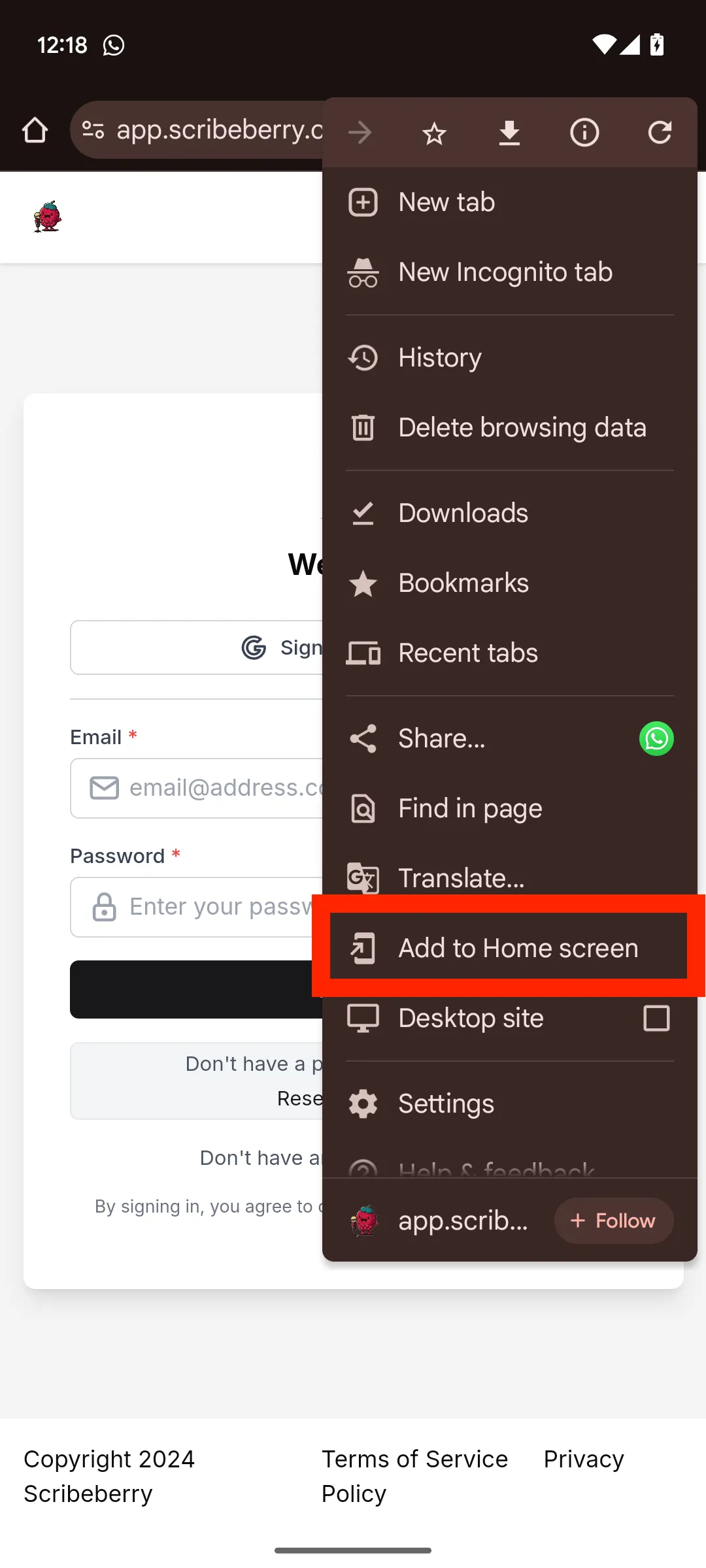
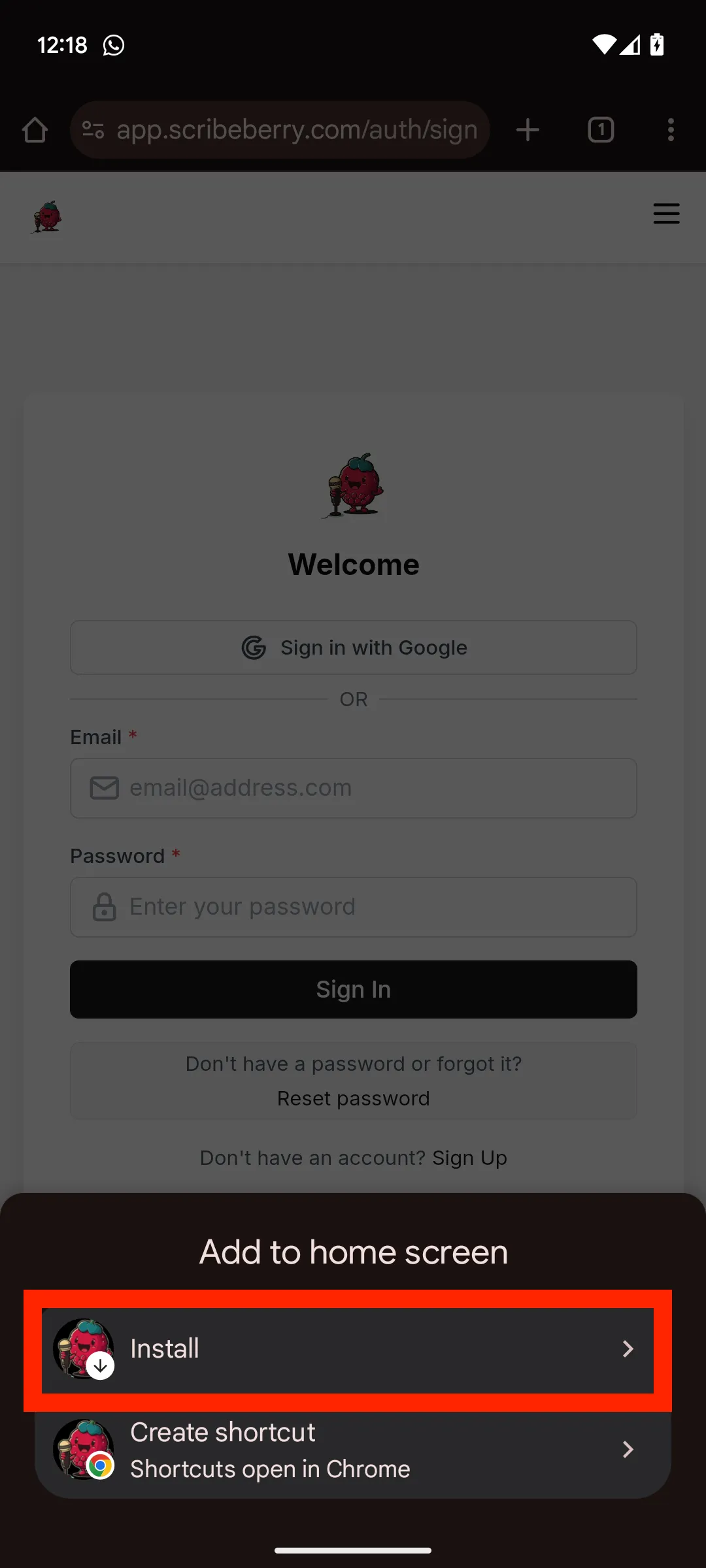
A Progressive Web App (PWA) is a web-based app that you can install on your devices (mobile, tablet and desktop), giving you a similar experience to a native app with easy access from your home screen. Stay tuned, we’ll be launching dedicated mobile and desktop apps too for an even better experience!
This archived video is no longer available.
Explore current Scribeberry tutorials →👩⚕️
Scribeberry is the most trusted AI platform across all medical workflows.

More on topic
-

Guides
AI Charting Tools: How They Cut Documentation Time by 30% and Give Doctors Their Lives Back
AI charting tools reduce physician documentation time by 28.8% on average. Learn how ambient clinical intelligence is changing medical record-keeping.
-

Guides
AI Medical Transcription in 2026: What Physicians Need to Know
AI medical transcription saves 3.8 minutes per note and costs $99-299/month. Accuracy rates, Canadian options, and whether AI replaces human transcriptionists.
-

Guides
AI Clinical Documentation Is Saving Physicians 15,000 Hours a Year. Here's How.
AI clinical documentation tools cut note-writing time by 41 seconds per patient and reduce burnout in 30 days. Real studies, real results.