

AI Tools
Medical Dictionary
If transcription keeps mishearing a drug name, add it to your Medical Dictionary. Scribeberry uses your list of up to 50 terms to bias recognition toward the words you actually use.
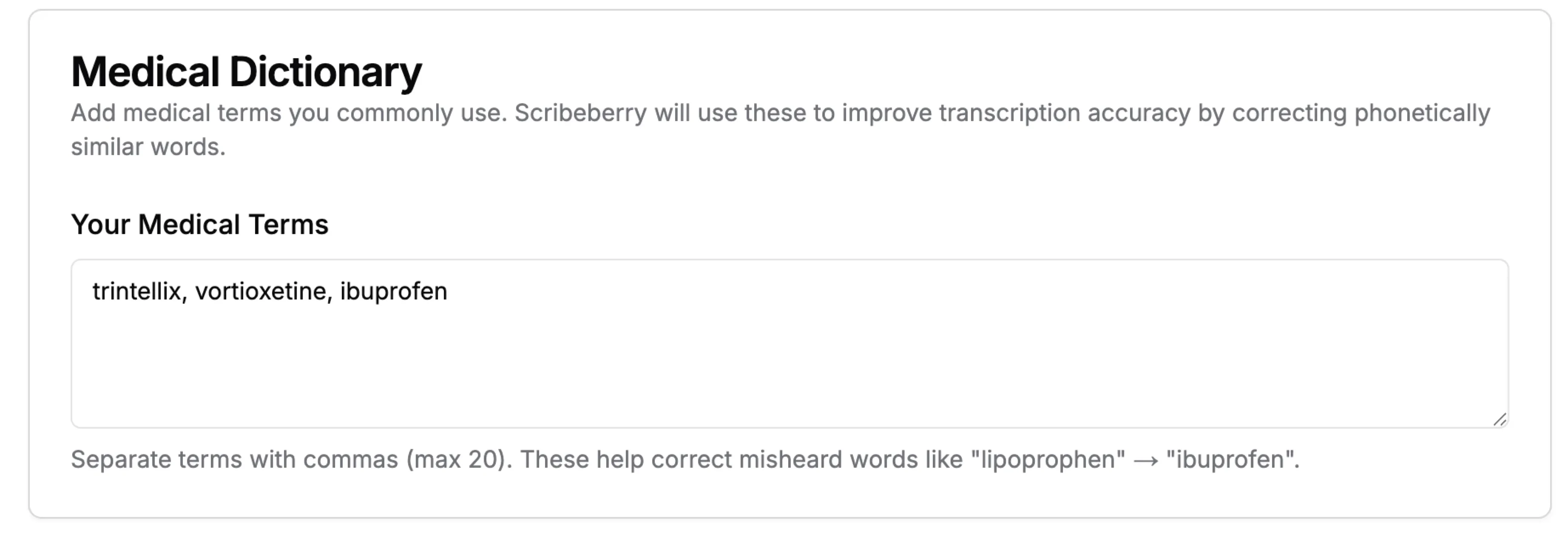
Medical Dictionary at a glance
- Where
- Settings → Medical Dictionary ("Your Medical Terms")
- Limit
- Up to 50 terms
- Format
- Comma- or newline-separated
- Effect
- Biases speech recognition toward your terms
- Applies to
- Transcription on the browser speech engine
What does Medical Dictionary do for clinical workflows?
Medical Dictionary is a personal list of up to 50 medical terms in Settings ("Your Medical Terms"). Scribeberry passes these terms to the speech engine as preferred phrases, so a word like "ibuprofen" is less likely to come out as "lipoprophen". It is most useful for specialty drug names, eponyms and terms the transcription engine rarely hears. Your list currently applies when transcription runs on the browser speech engine.
How does Medical Dictionary fit into your workflow?
You set up the dictionary once and refine it as you notice repeated mistakes.
- Open Settings and find Medical Dictionary ("Your Medical Terms").
- Enter terms separated by commas or new lines, such as drug names, conditions and eponyms.
- Click away from the field to save; the hint shows how many of your 50 terms you've used.
- Record as usual; recognition is biased toward your terms when the browser speech engine is used.
When should teams use Medical Dictionary?
The dictionary helps most where your vocabulary is specialised and the speech engine keeps guessing.
- Specialists using biologics and newer drugs with unusual names.
- Clinicians whose transcripts repeatedly mishear the same term.
- Eponyms, local program names and abbreviations you say often.
Why do transcripts mishear medical terms?
Speech engines predict words from sound and from how common those words are. A term like "secukinumab" or "enthesitis" is rare in everyday speech, so the engine may substitute something more familiar that sounds similar. One wrong drug name in a transcript can carry into the note.
Your Medical Dictionary tells the engine which rare words to expect from you, so they are preferred when the audio is ambiguous.
How should you choose your 50 terms?
The limit is deliberate. A short, targeted list helps recognition, while a long one can make the engine "hear" medical words that weren't said.
- Start with terms you've actually seen misheard in transcripts.
- Prioritise drug names and conditions specific to your specialty.
- Skip common terms the engine already handles well.
- Revisit the list when you start prescribing something new.
What does the Medical Dictionary look like in practice?
Illustrative example
A rheumatologist notices that "adalimumab" and "enthesitis" are often misheard in his transcripts. He adds them, along with "secukinumab" and "dactylitis", to his Medical Dictionary.
In his next dictations, which run on the browser speech engine, those terms come through correctly, and he spends less time fixing drug names in his notes.
What should you know about the Medical Dictionary?
- It applies to the browser speech engine today, not to every transcription provider.
- Fifty terms is the maximum; keep the list focused.
- It improves recognition but does not guarantee it. Review drug names and doses.
- It affects the transcript; use Memories and note preferences to change how notes are written.
Frequently asked questions about Medical Dictionary
Answers about how the dictionary works and where it applies.
Up to 50. Choose the terms that are most often misheard rather than every term you use.
Not yet. Your terms are currently applied when transcription runs on the browser speech engine, which you can choose in Transcription preferences. Other engines use their own medical vocabulary.
Heavily boosting a large default list made the engine hear medical words that weren't said. A short personal list of your own problem terms works better, so built-in boosting is off by default.
No. It improves the transcript the note is built from. To control how notes are written, use templates, note preferences and Memories.
Ready to use Medical Dictionary in your clinic?
Scribeberry helps teams move faster with practical AI assistance across charting, coding, and documentation.

