

AI Tools
Memories
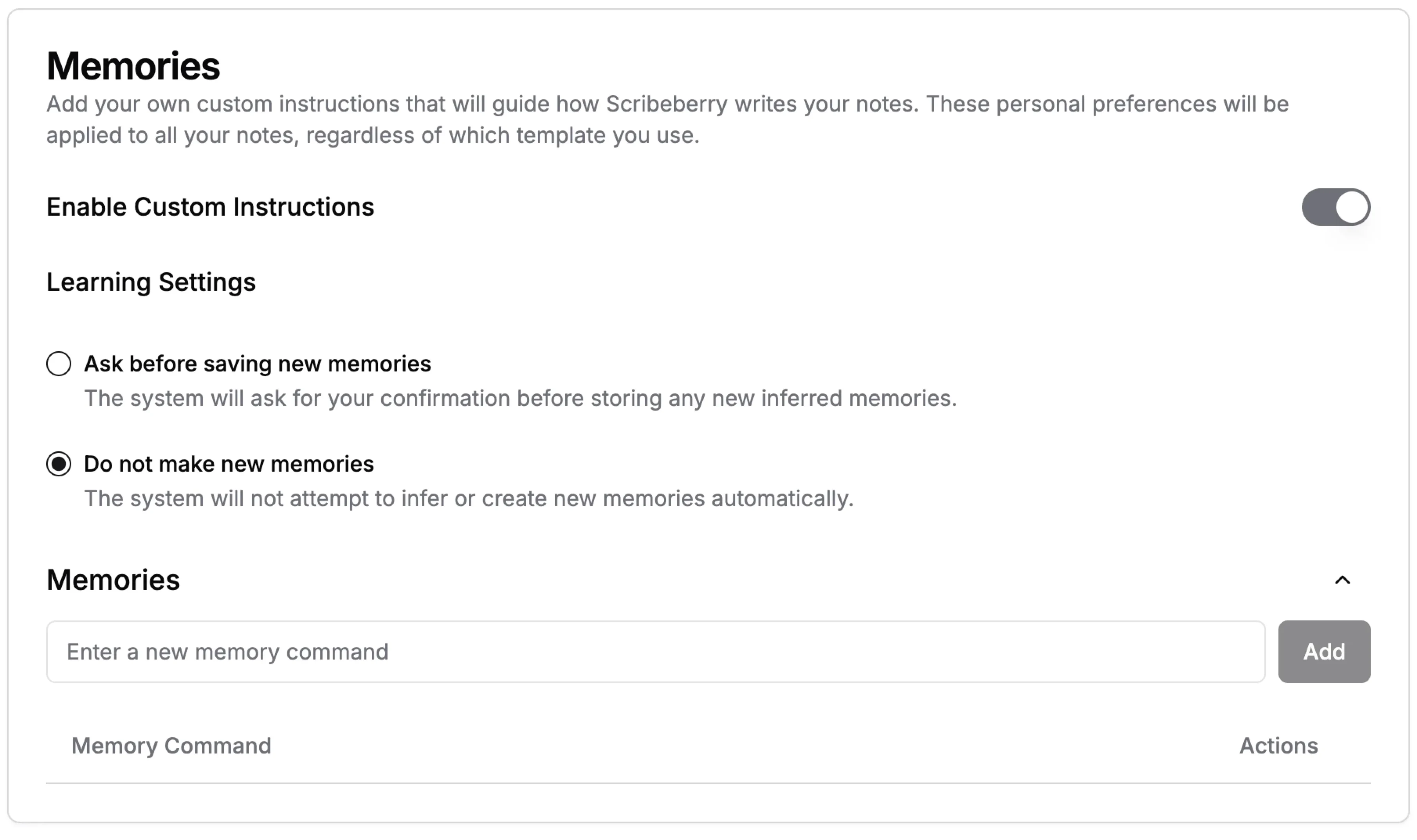
Tell Scribeberry once how you like your notes written, and it remembers. Memories apply to every note, across every template, and you decide whether Scribeberry can suggest new ones.
Memories at a glance
- Where
- Settings → Memories
- Scope
- Every note you generate, across all templates
- Form
- Short written instructions (memory commands)
- New memories
- "Ask before saving new memories" or "Do not make new memories"
- On/off
- The whole memory system can be switched off
What does Memories do for clinical workflows?
Memories are short, persistent instructions that Scribeberry follows every time it generates a note, regardless of template. Examples include "always write the plan as a numbered list", "use Canadian spelling" or "refer to the patient by first name". You manage them in Settings → Memories, can turn the memory system on or off, and choose whether Scribeberry may propose new memories from your edits (it asks first) or never create them on its own.
How does Memories fit into your workflow?
Memories sit above your templates: templates shape a note's structure, and Memories shape your personal style everywhere.
- Open Settings → Memories and turn the memory system on.
- Add a memory: a short instruction such as "use metric units only".
- Choose a mode: Ask before saving new memories, or Do not make new memories.
- Generate notes as usual; every memory is applied, and you can edit or delete them at any time.
When should teams use Memories?
Memories are for preferences you'd otherwise fix by hand in every note.
- Style rules that apply to every visit type, such as spelling, units and tone.
- Clinicians who use several templates but want one consistent voice.
- Recurring corrections you notice yourself making after each draft.
Why do notes need Memories as well as templates?
Templates are per visit type, but your style is personal and consistent. You might want Canadian spelling, a numbered plan and no patient names in the HPI in every note, whether it's a physical, a follow-up or a consult. Repeating those rules in every template is tedious and easy to forget.
Memories hold those rules in one place. Scribeberry adds them to every generation, so a new template inherits your style automatically.
How do you write a good memory?
Memories work best as short, unambiguous instructions about style and format.
- Be specific: "write the plan as a numbered list" rather than "make plans clearer".
- Keep one rule per memory, so it's easy to edit or remove later.
- Avoid clinical content that changes visit to visit. Templates and context handle that.
- Review your list occasionally and delete rules you no longer want.
How much control do you have over new memories?
Scribeberry can notice patterns in how you edit notes and suggest new memories, but only if you allow it. In "ask" mode, each suggestion needs your approval. In "off" mode, Scribeberry never creates memories on its own. When you add a memory that duplicates or conflicts with an existing one, Scribeberry helps you resolve it.
What do Memories look like in practice?
Illustrative example
A pediatrician kept making the same three edits to every draft: switching to Canadian spelling, writing weights in kilograms with percentiles, and listing the plan as numbered items.
She saves those as three memories. Her next well-child note, her next sick-visit note and a school form summary all come out with those conventions already applied.
What should you know about Memories?
- Memories apply to every note, so keep them general rather than visit-specific.
- Conflicting memories produce inconsistent notes; resolve duplicates when prompted.
- They shape writing, not transcription.
- Review notes as always; Memories guide the draft but do not replace your review.
Frequently asked questions about Memories
Answers about how Memories work and how much control you have.
A template defines a note's sections for one type of visit. Memories are personal instructions applied to every note, whichever template you use.
No. Choose "Ask before saving new memories" to approve each suggestion, or "Do not make new memories" to manage them entirely yourself.
No. Memories affect how notes are written. To improve how terms are heard, use the Medical Dictionary.
Yes. Turn the memory system off in Settings at any time, and notes are generated from your template and note preferences alone.
Ready to use Memories in your clinic?
Scribeberry helps teams move faster with practical AI assistance across charting, coding, and documentation.

